Zoom Chat for Online Classrooms
Zoom Chat for Online Classrooms
ROLE
Product Design
TIMELINE
1 week
TEAM
Solo!
SKILLS
Product Design
Product Research
ROLE
Product Design
TIMELINE
1 week
TEAM
Solo!
SKILLS
Product Design
Product Research
ROLE
Product Design
TIMELINE
1 week
TEAM
Solo!
SKILLS
Product Design, Product Research
OVERVIEW
What if virtual classrooms felt as natural and intuitive as in-person discussions?
In many online classes, students struggle to ask questions or jump into conversations through the existing chat experience. The lack of options creates hesitation and disrupts engagement. Recognizing this gap in seamless, student-friendly communication became the foundation for this project.
What if virtual classrooms felt as natural and intuitive as in-person discussions?
In many online classes, students struggle to ask questions or jump into conversations through the existing chat experience. The lack of options creates hesitation and disrupts engagement. Recognizing this gap in seamless, student-friendly communication became the foundation for this project.
What if virtual classrooms felt as natural and intuitive as in-person discussions?
In many online classes, students struggle to ask questions or jump into conversations through the existing chat experience. The lack of options creates hesitation and disrupts engagement. Recognizing this gap in seamless, student-friendly communication became the foundation for this project.
SOLUTION
A redesigned chat experience that helps students ask confidently, stay engaged, and join clearer, more connected discussions.
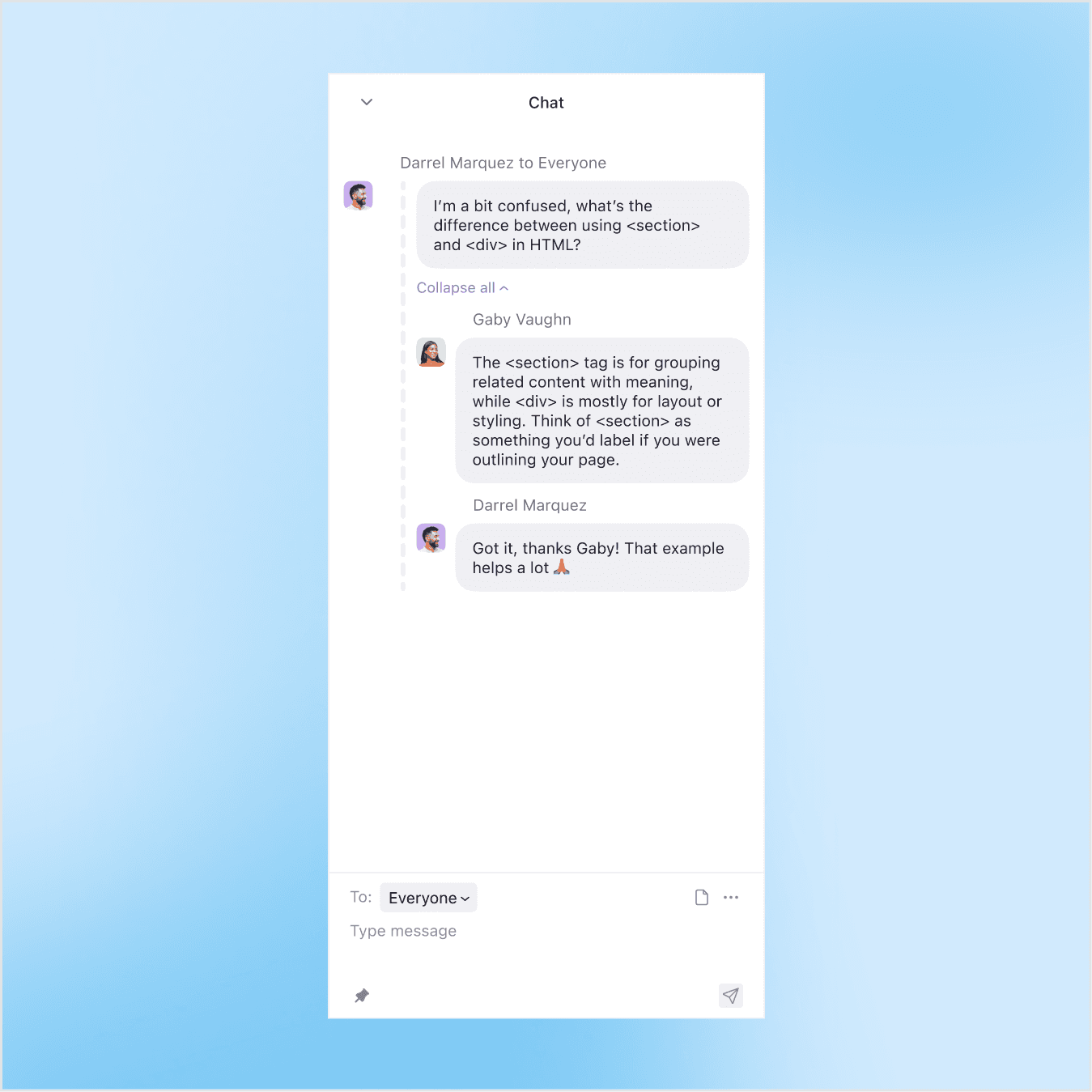
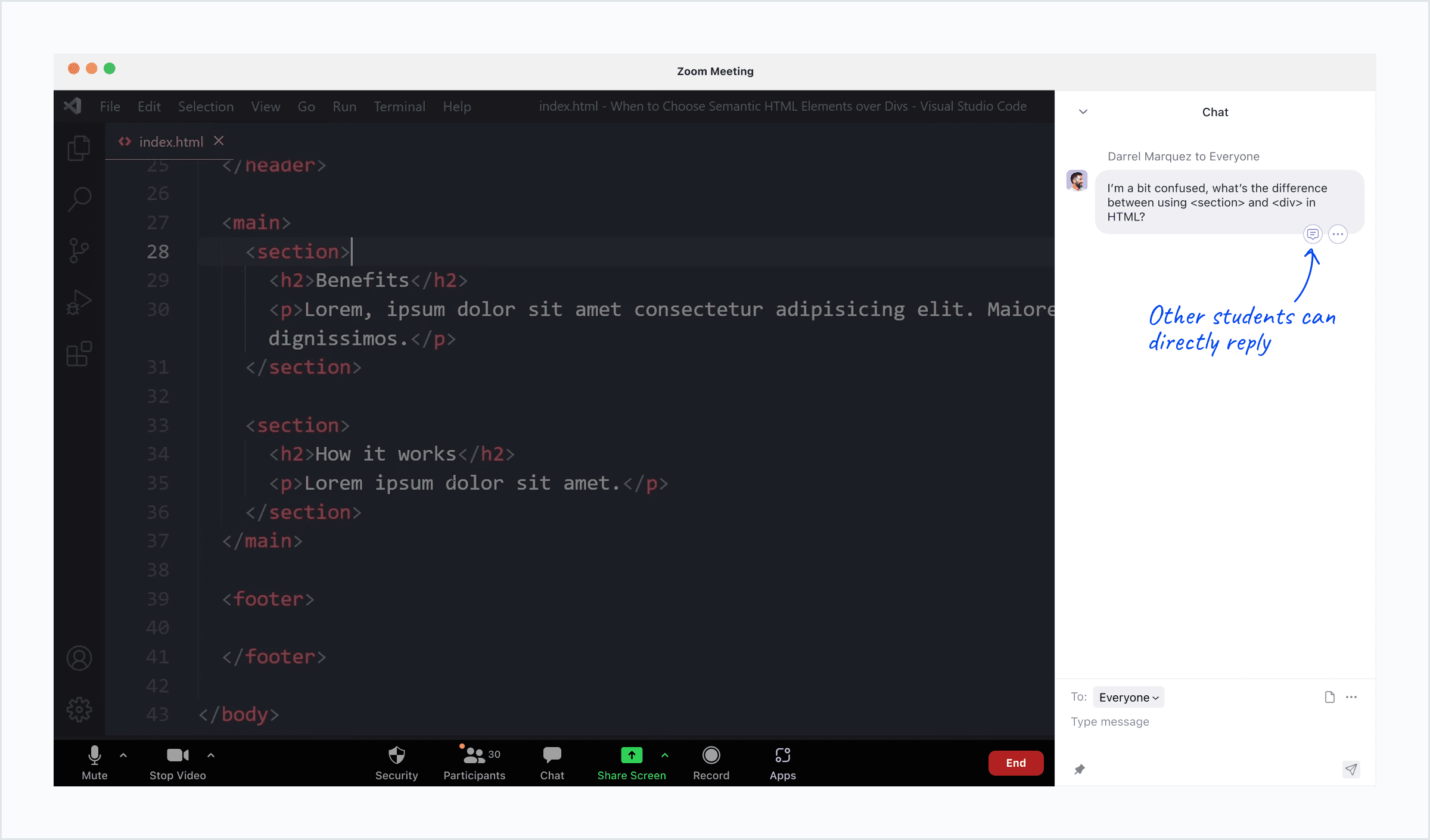
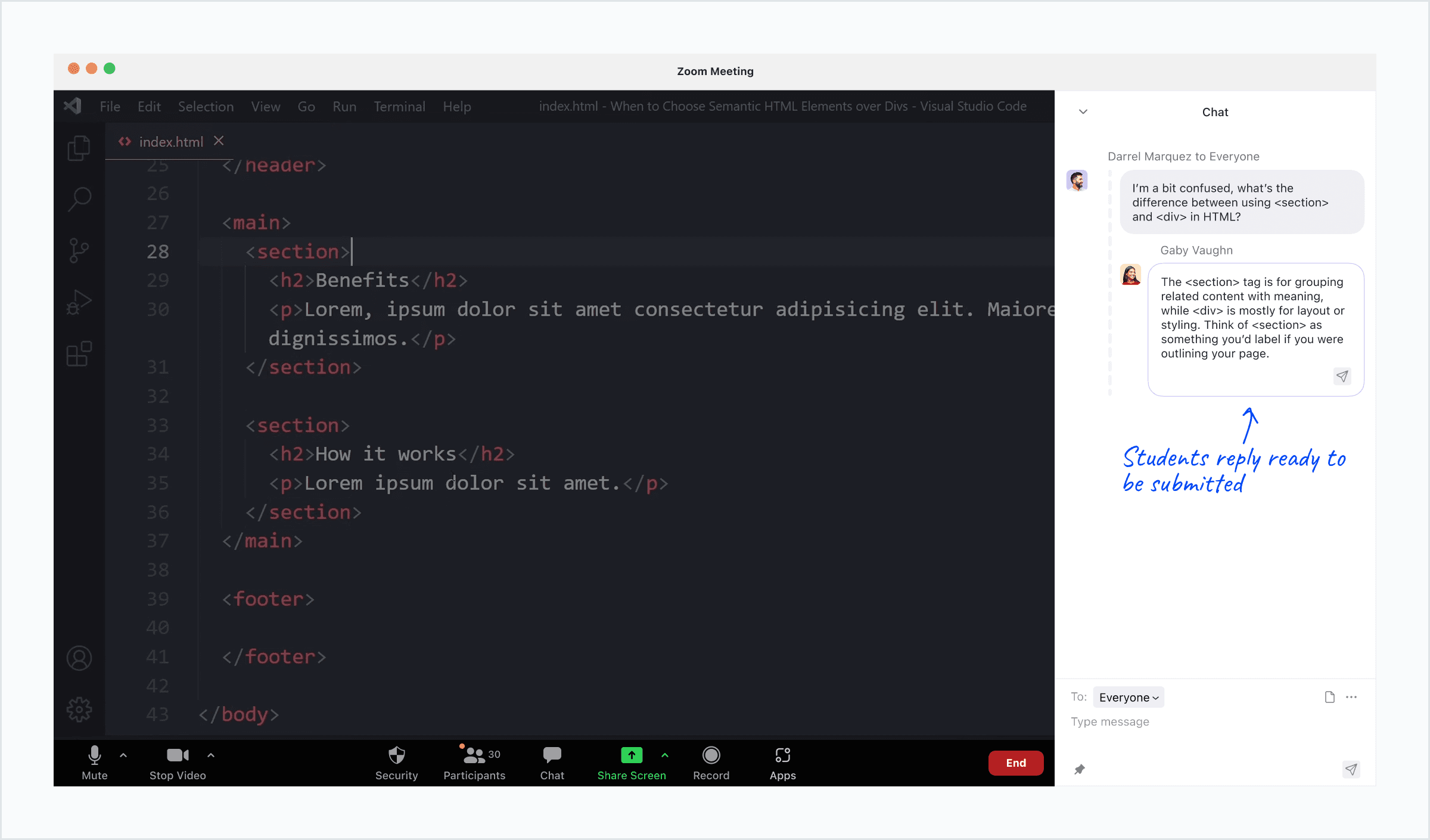
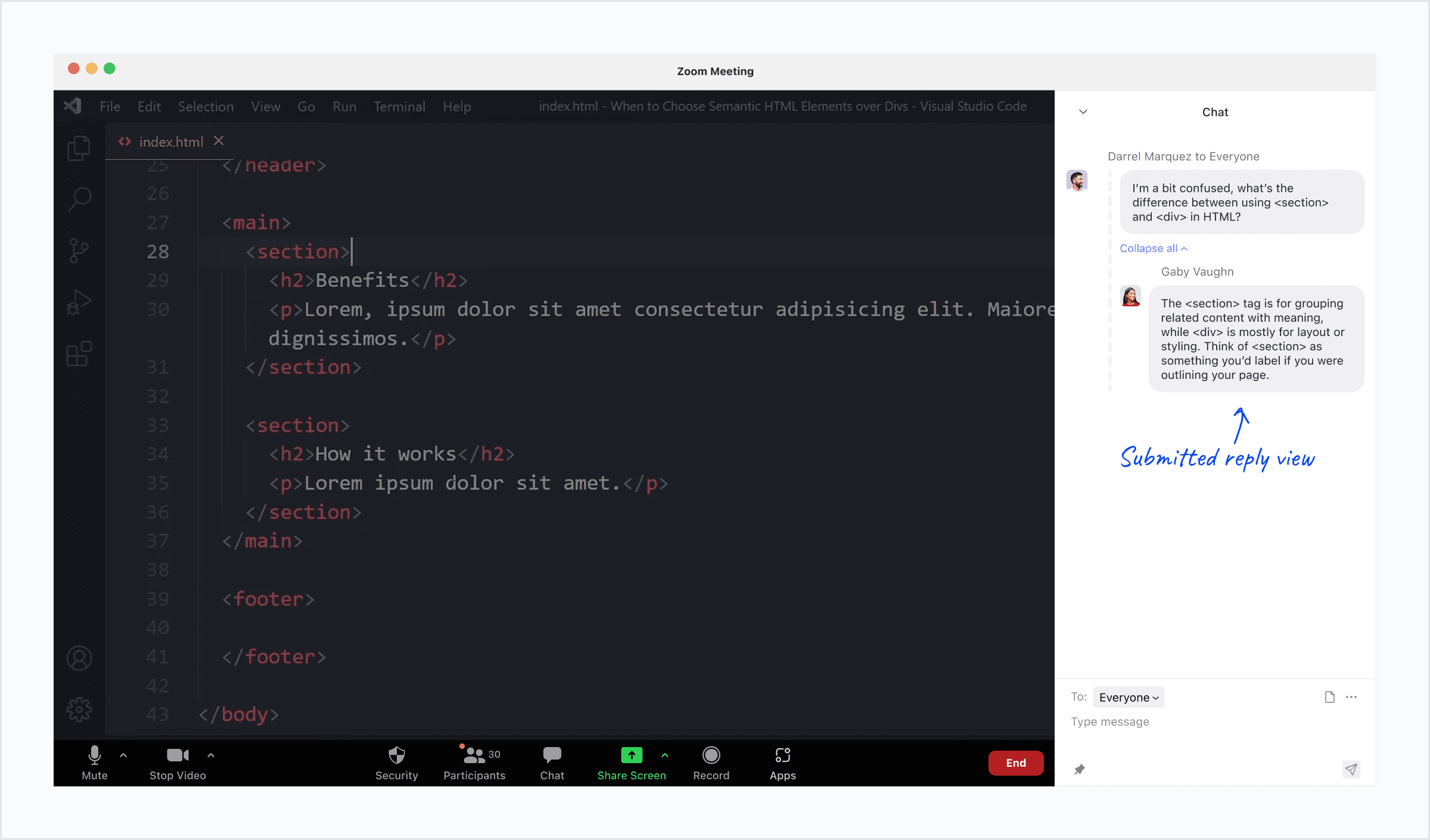
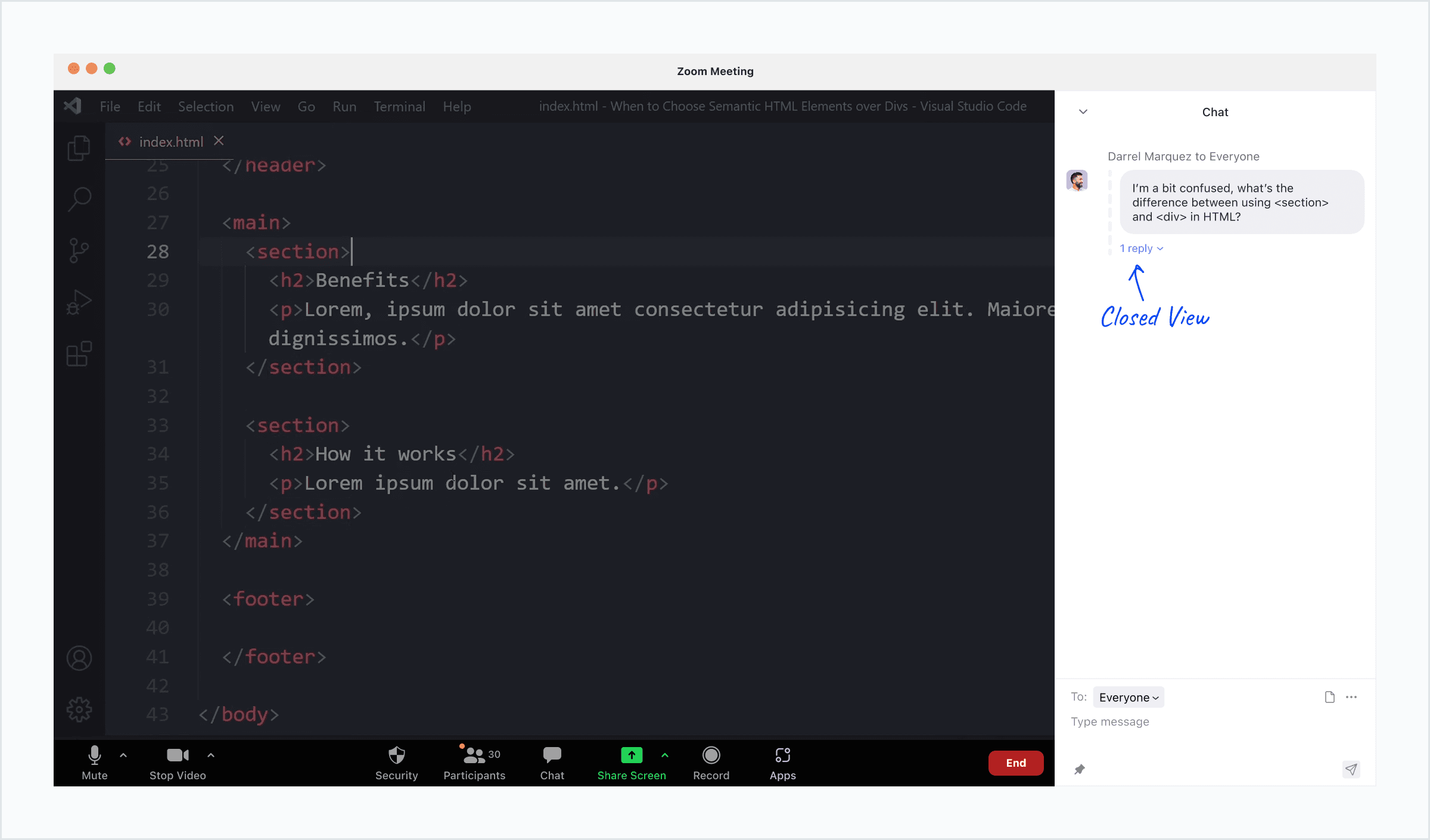
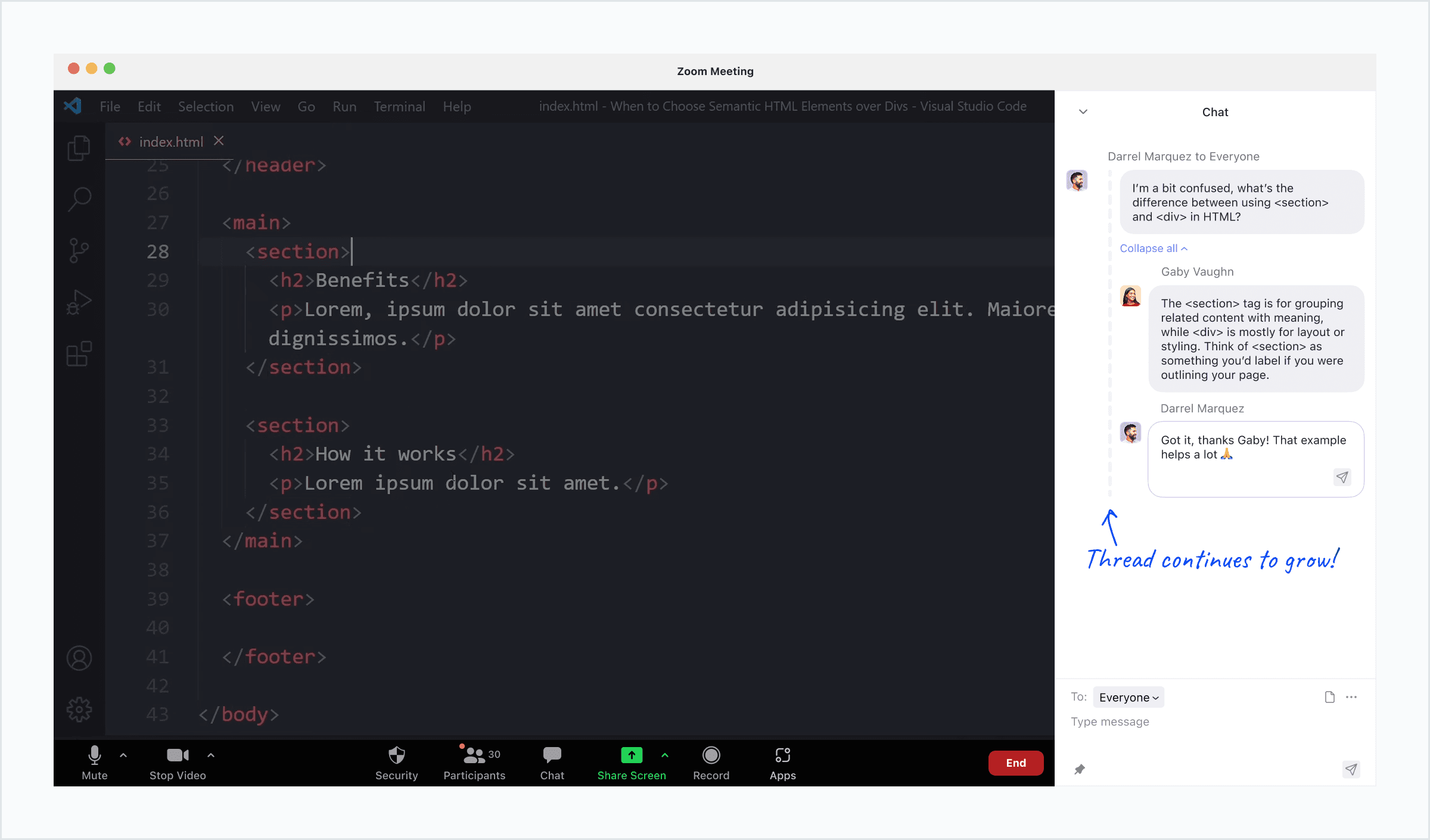
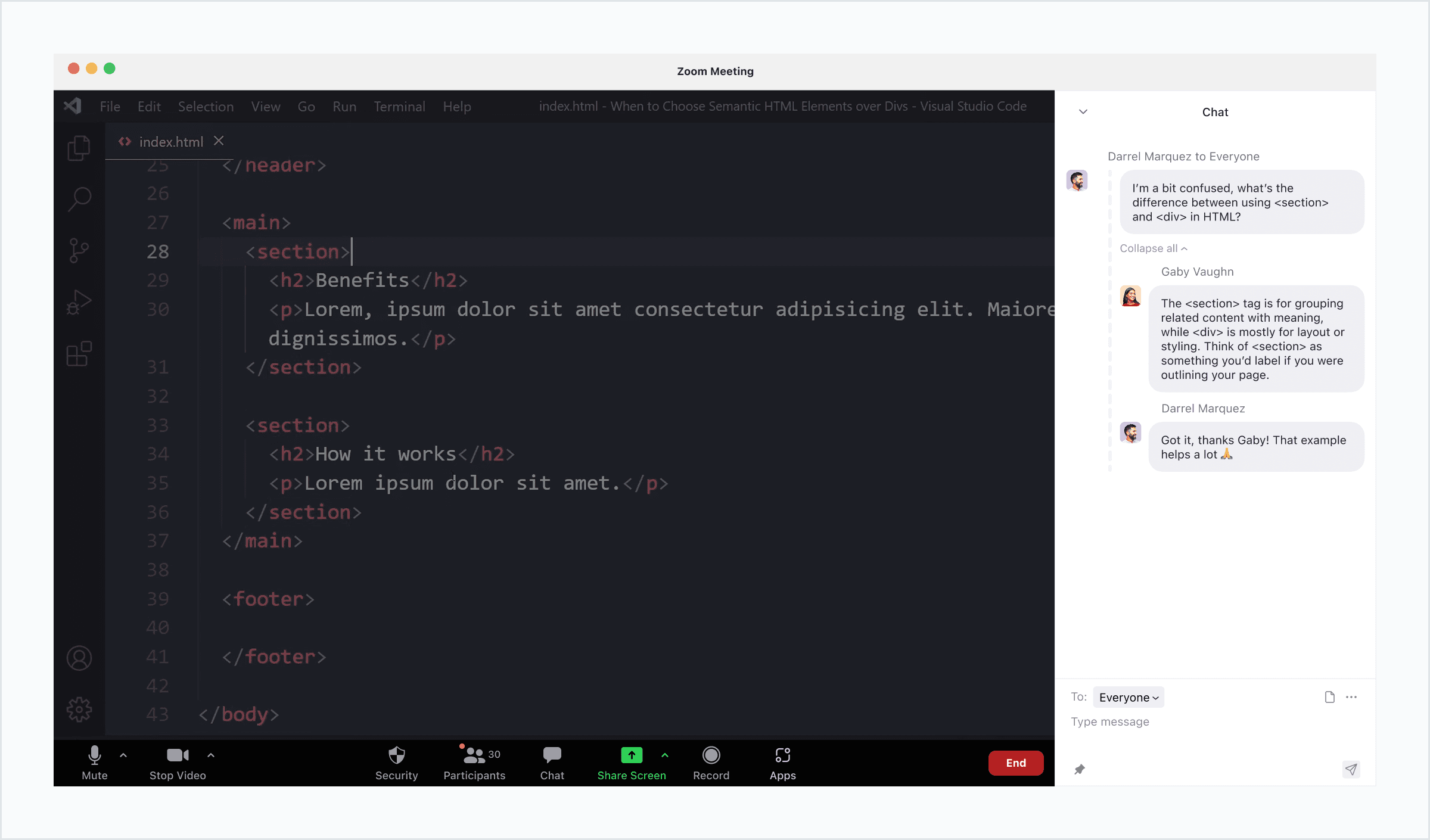
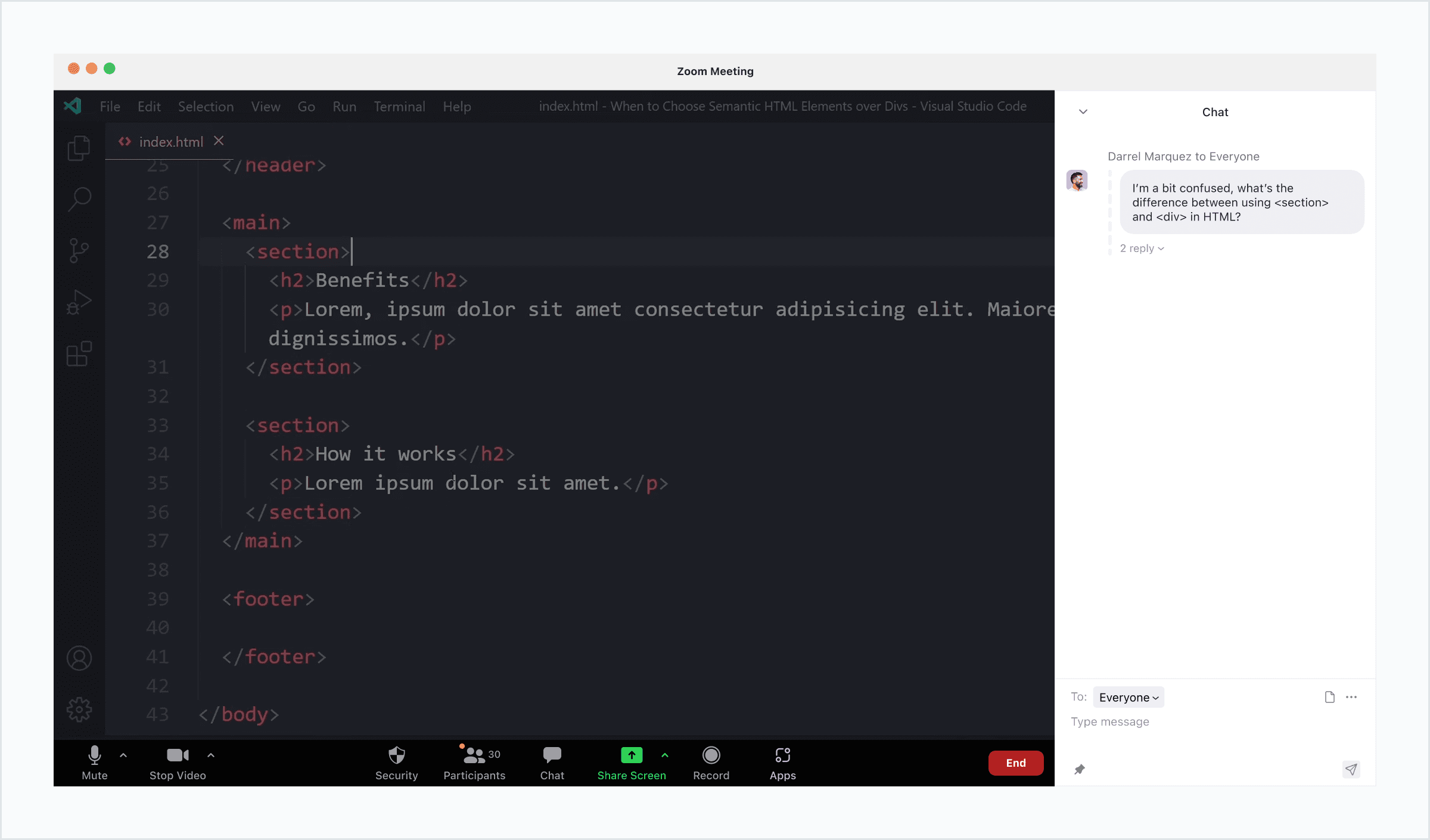
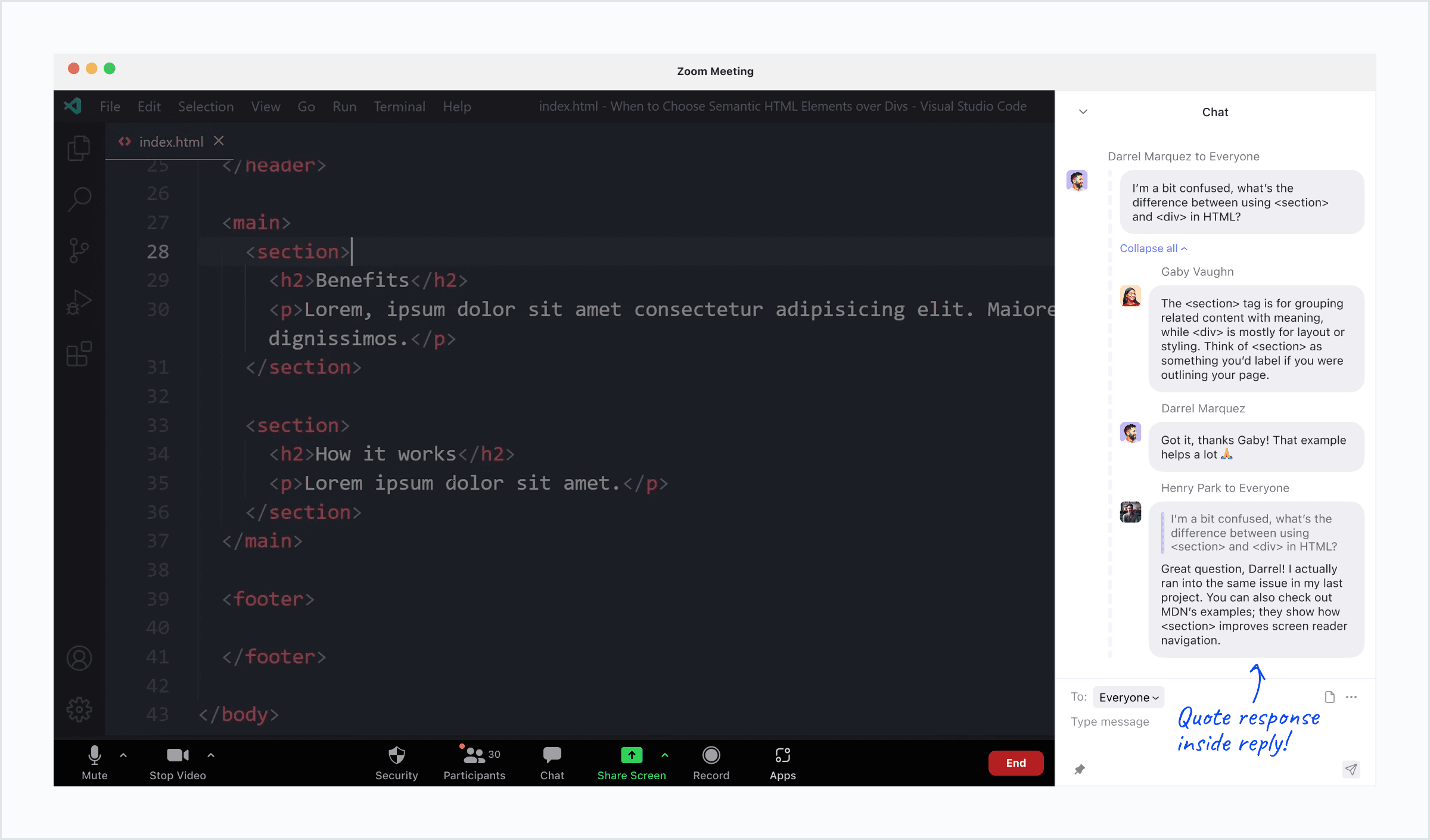
Threaded Reply
Responses are grouped under the original question to improve clarity and flow.
Threaded Reply
Responses are grouped under the original question to improve clarity and flow.
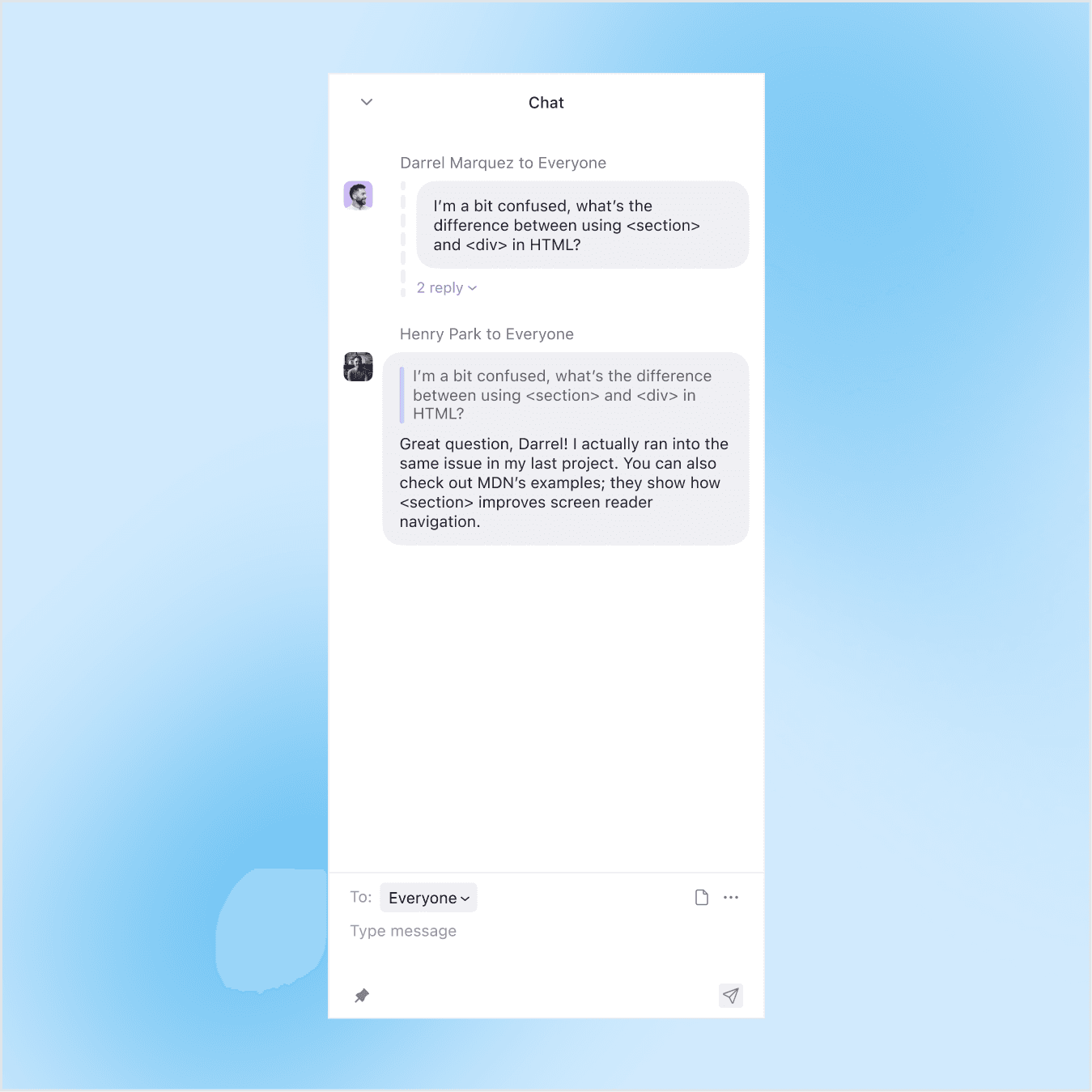
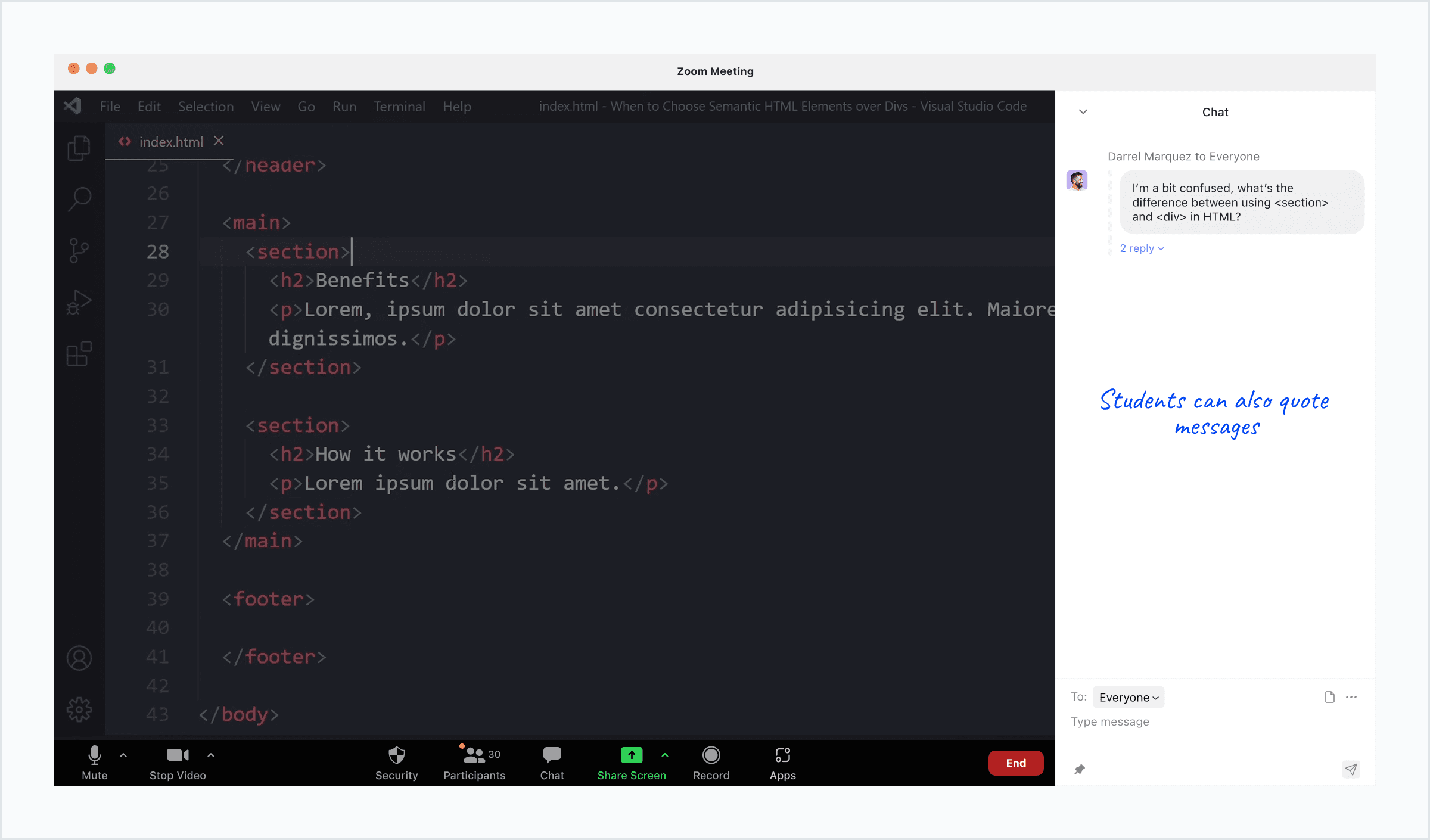
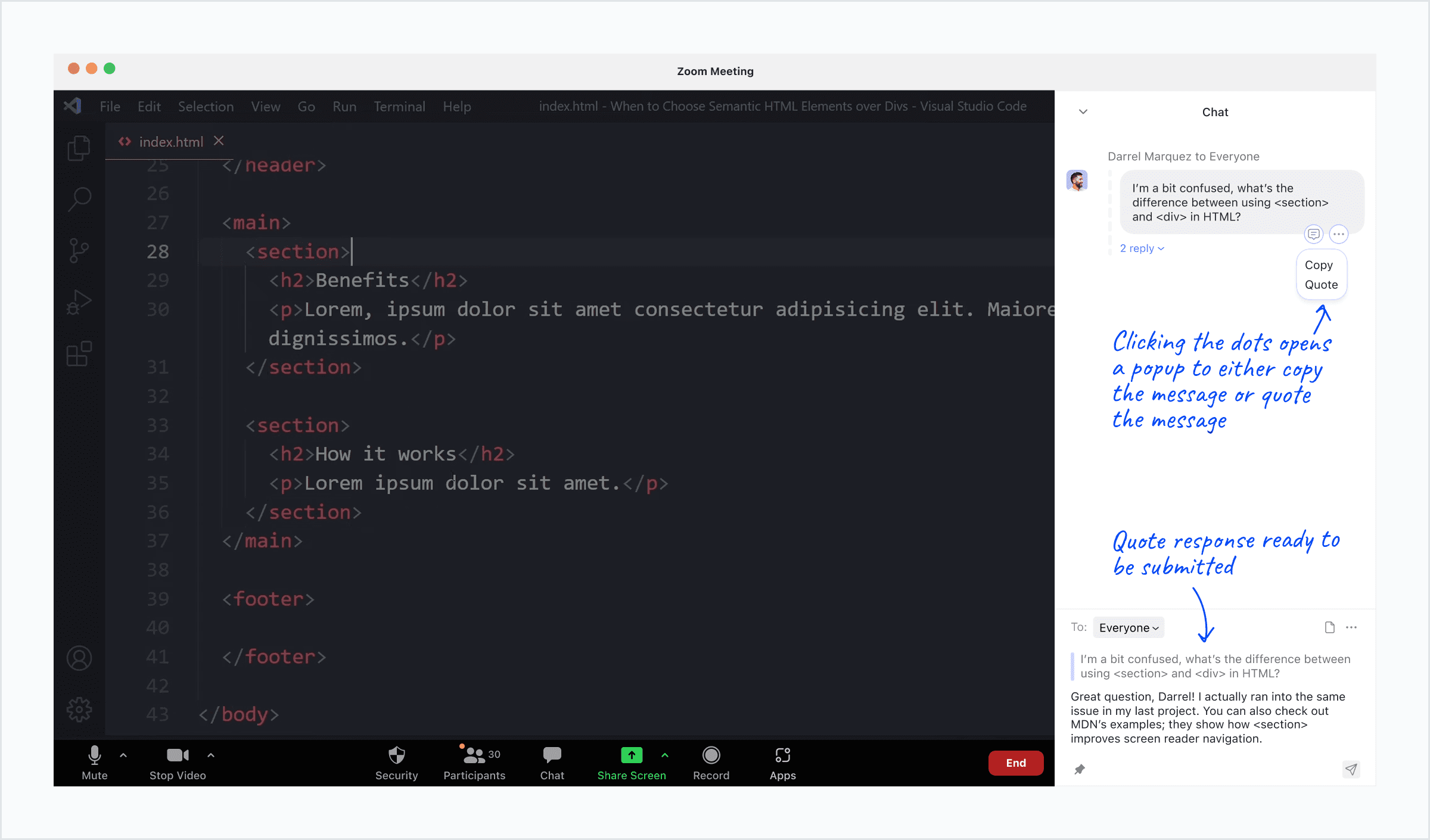
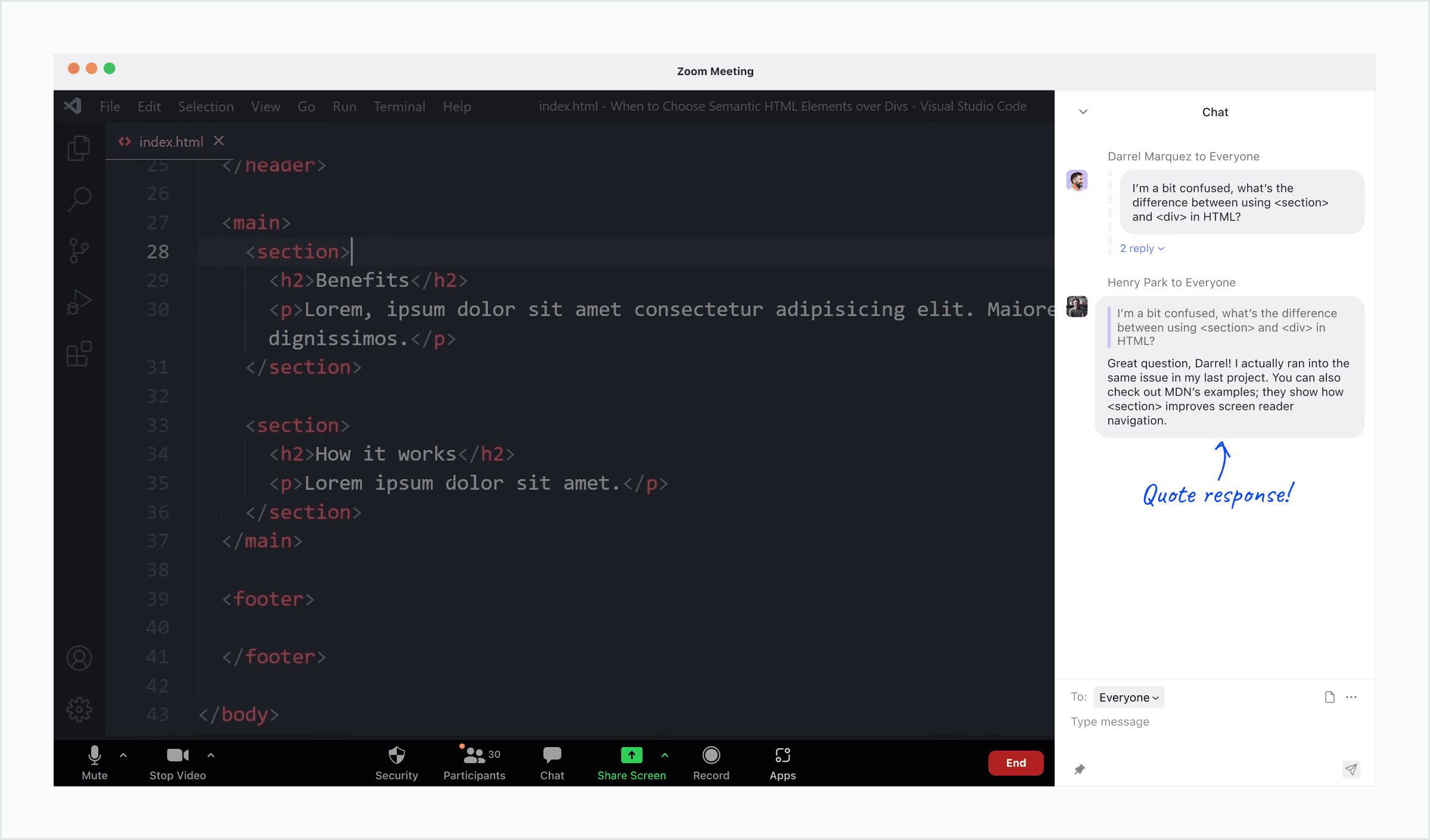
Quote Reply
Responses include the original message to clarify which question a response addresses.
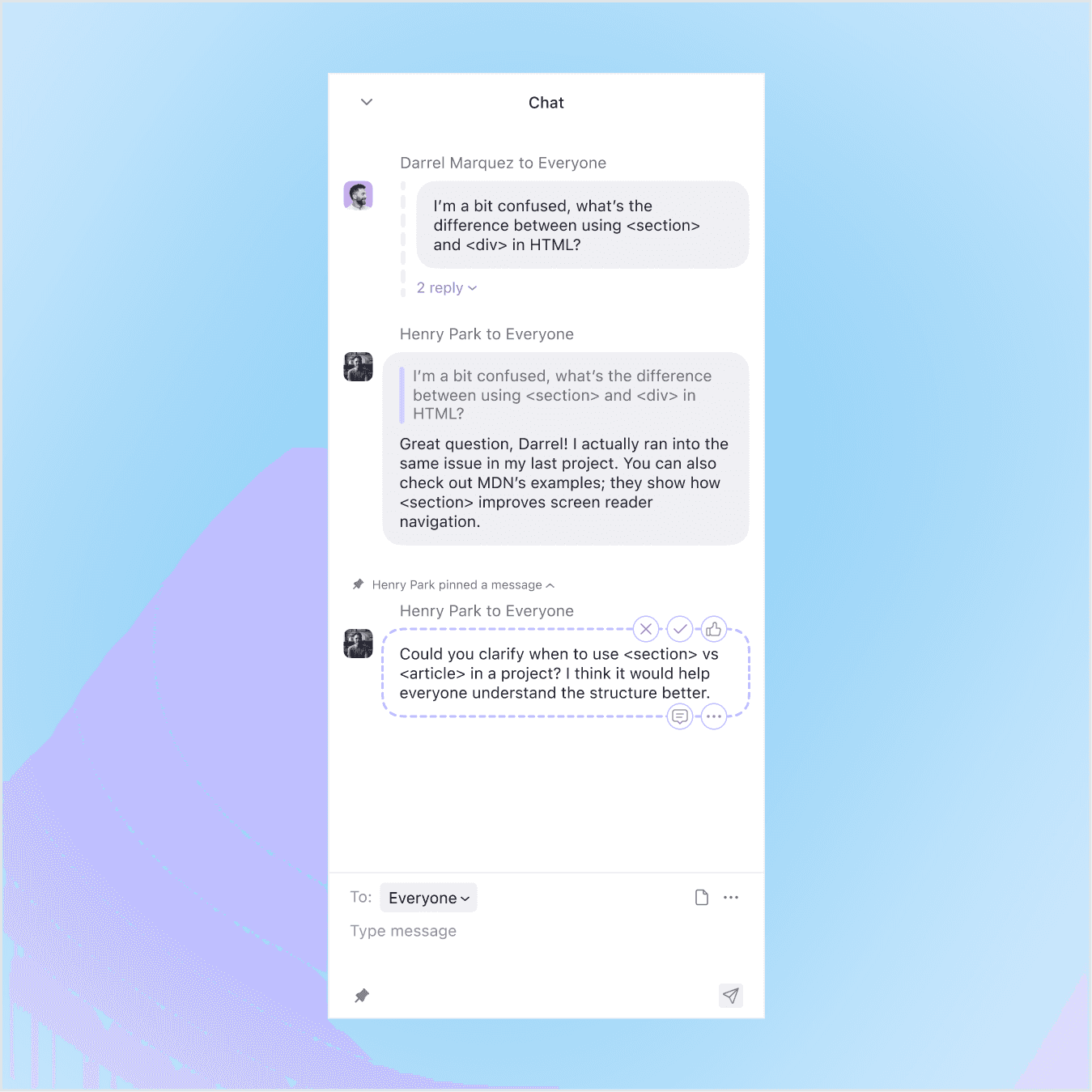
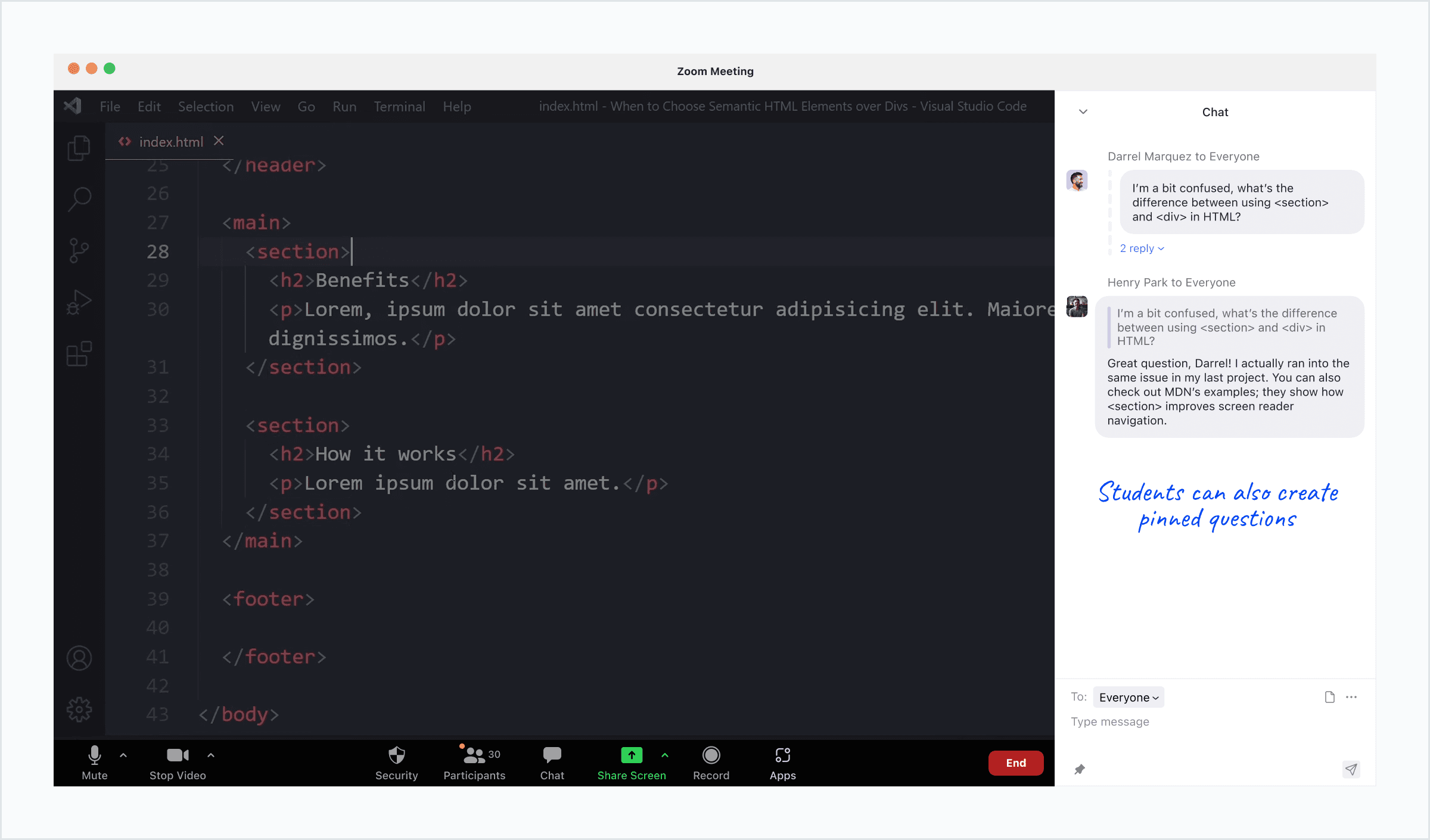
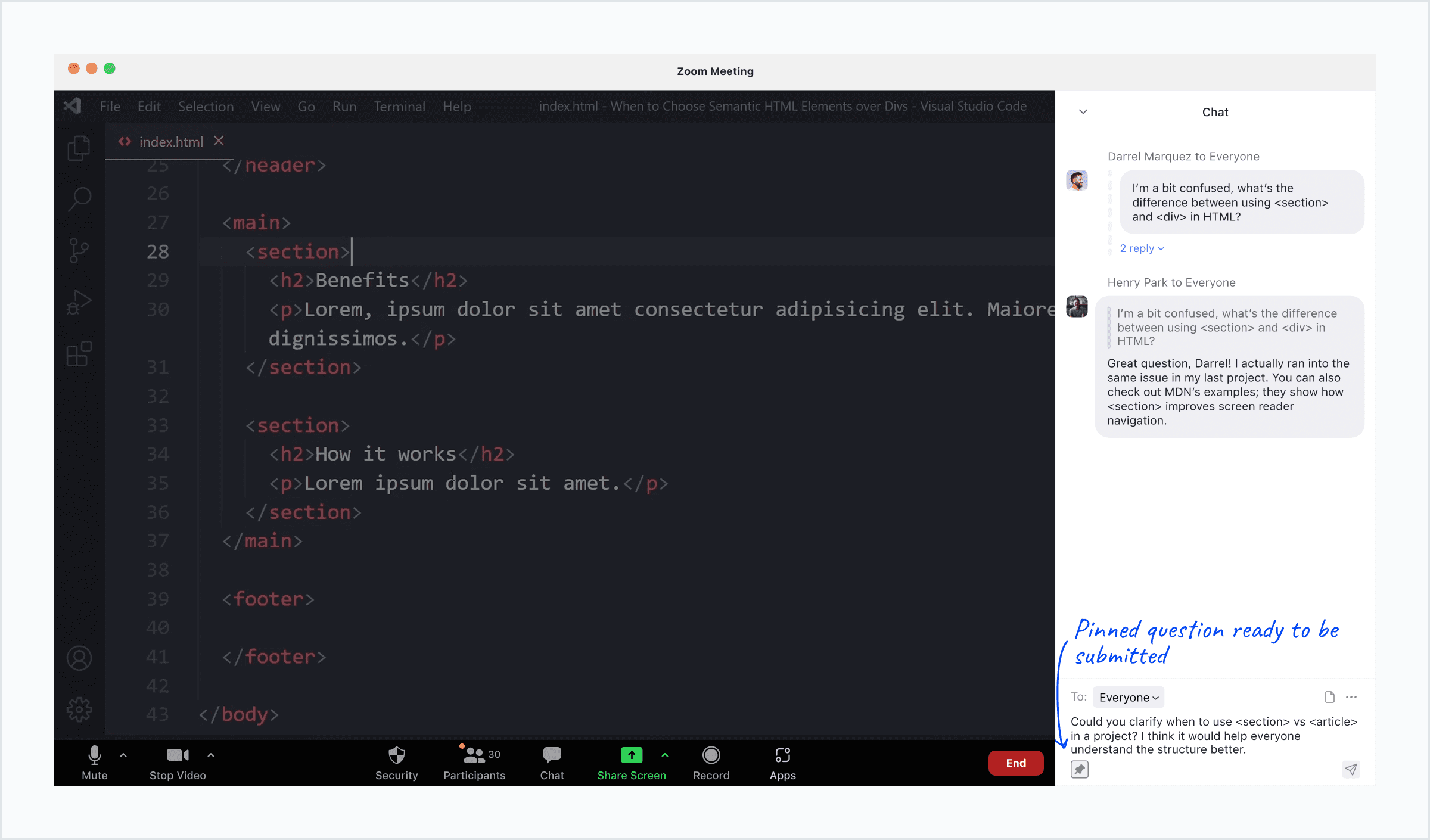
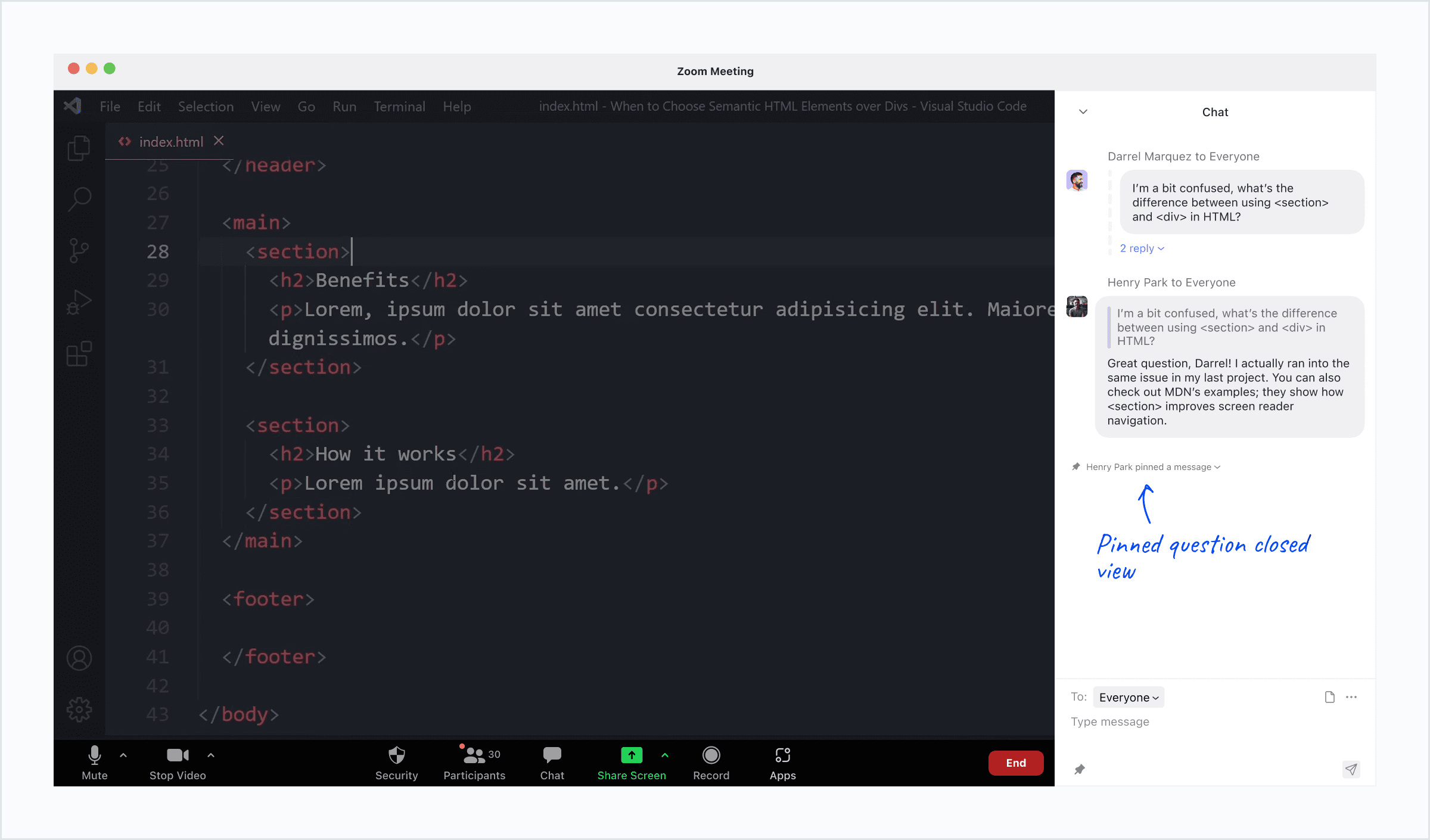
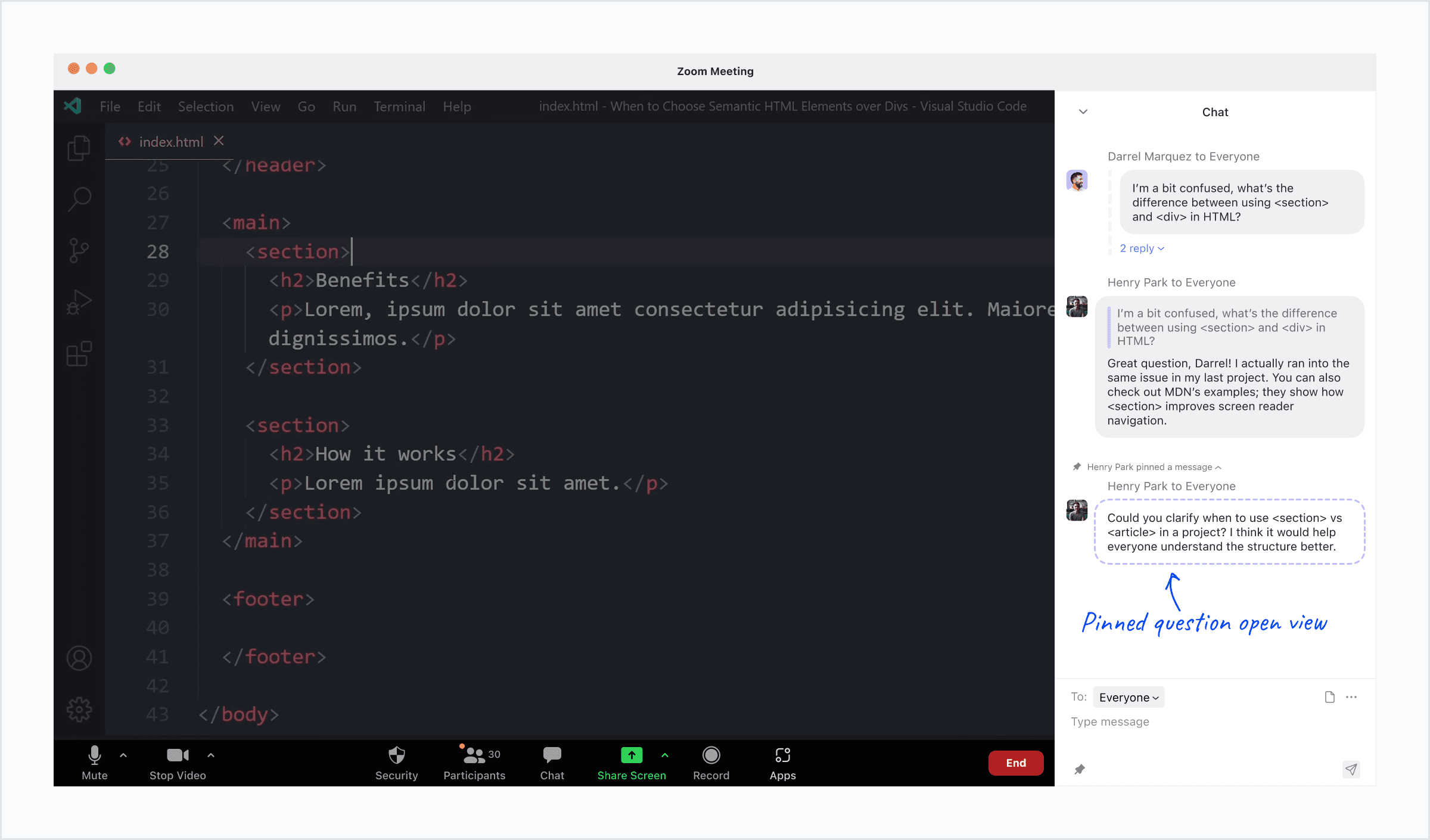
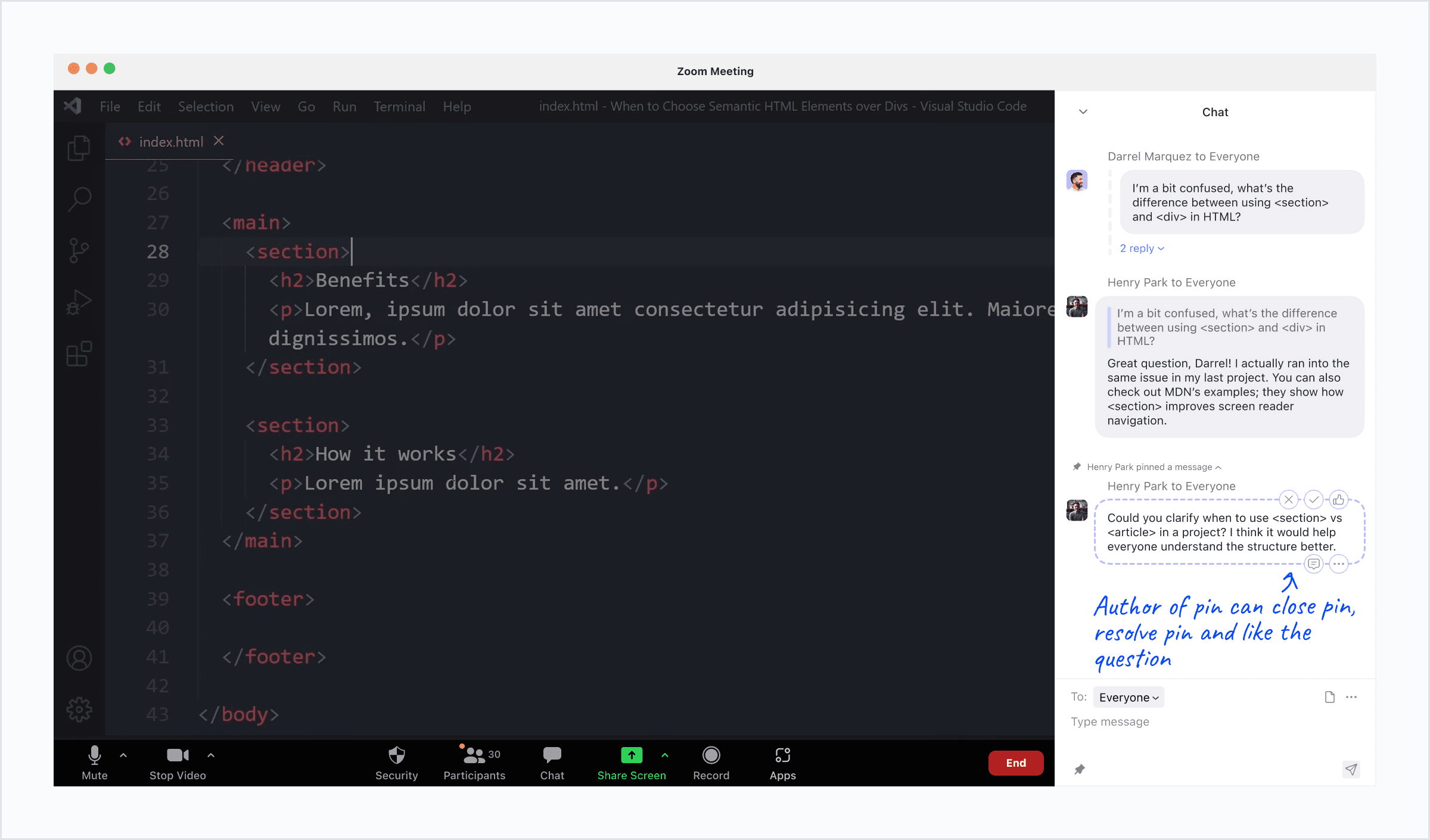
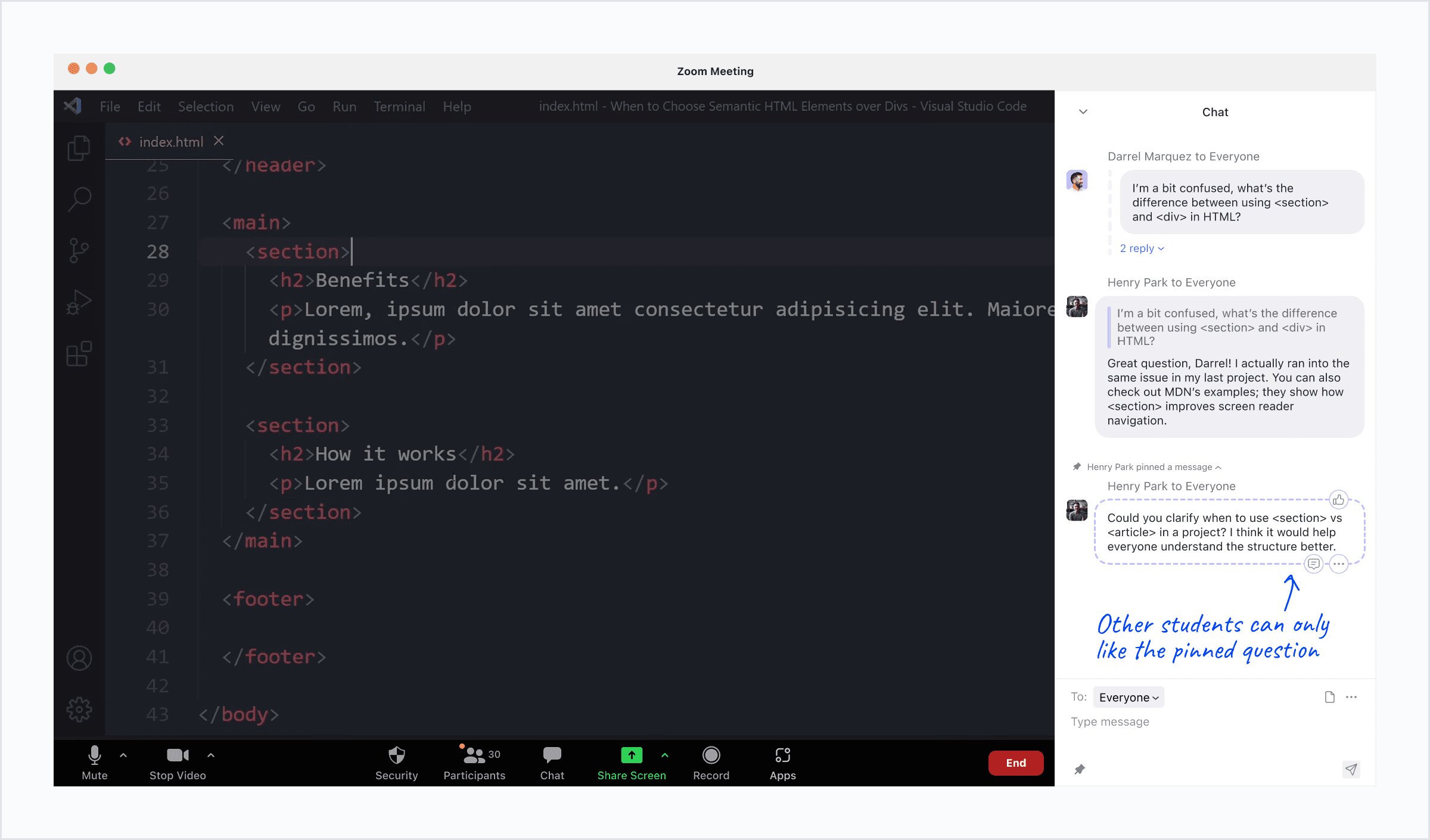
Pinned Question
Surface important questions for everyone to see and help instructors address questions at the right time.
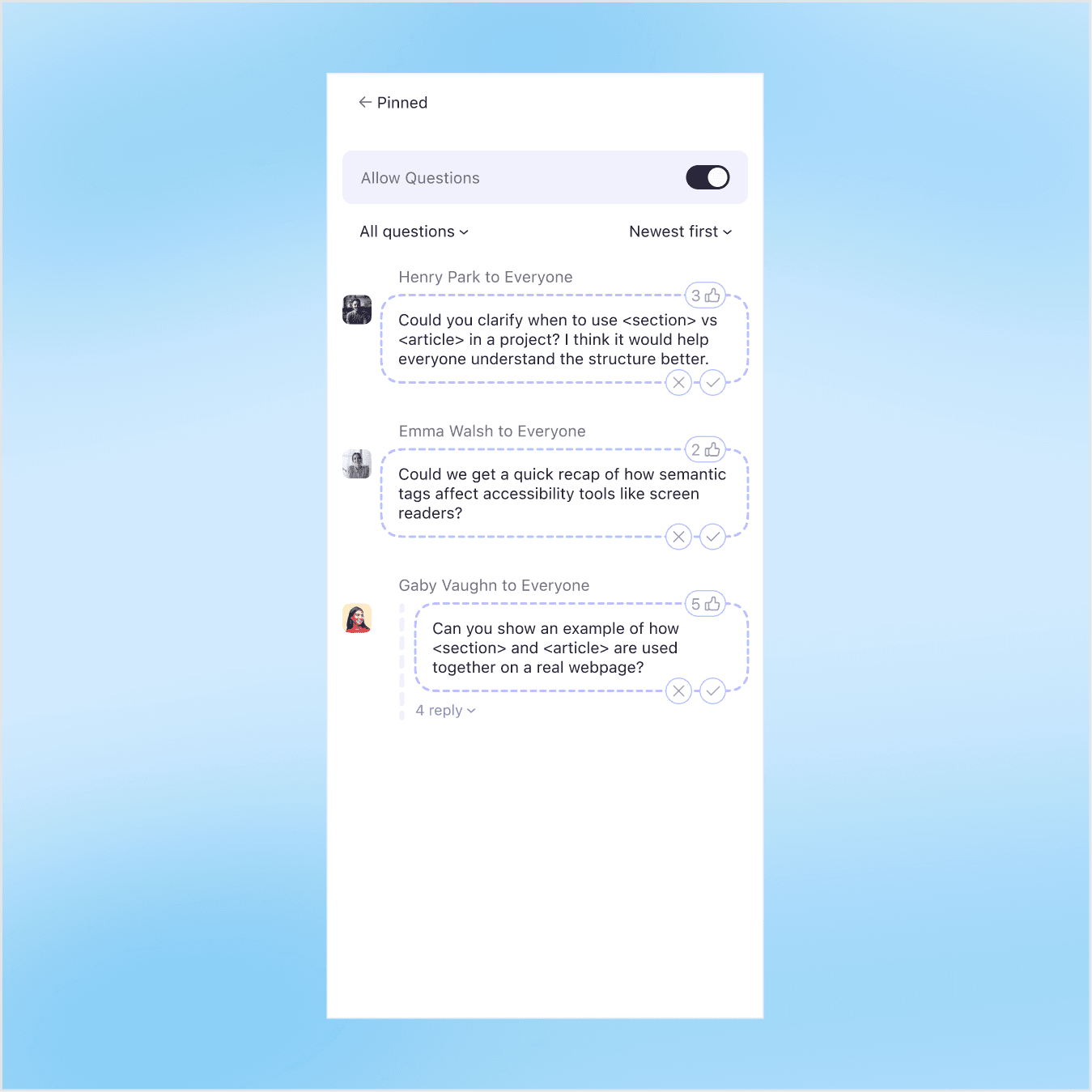
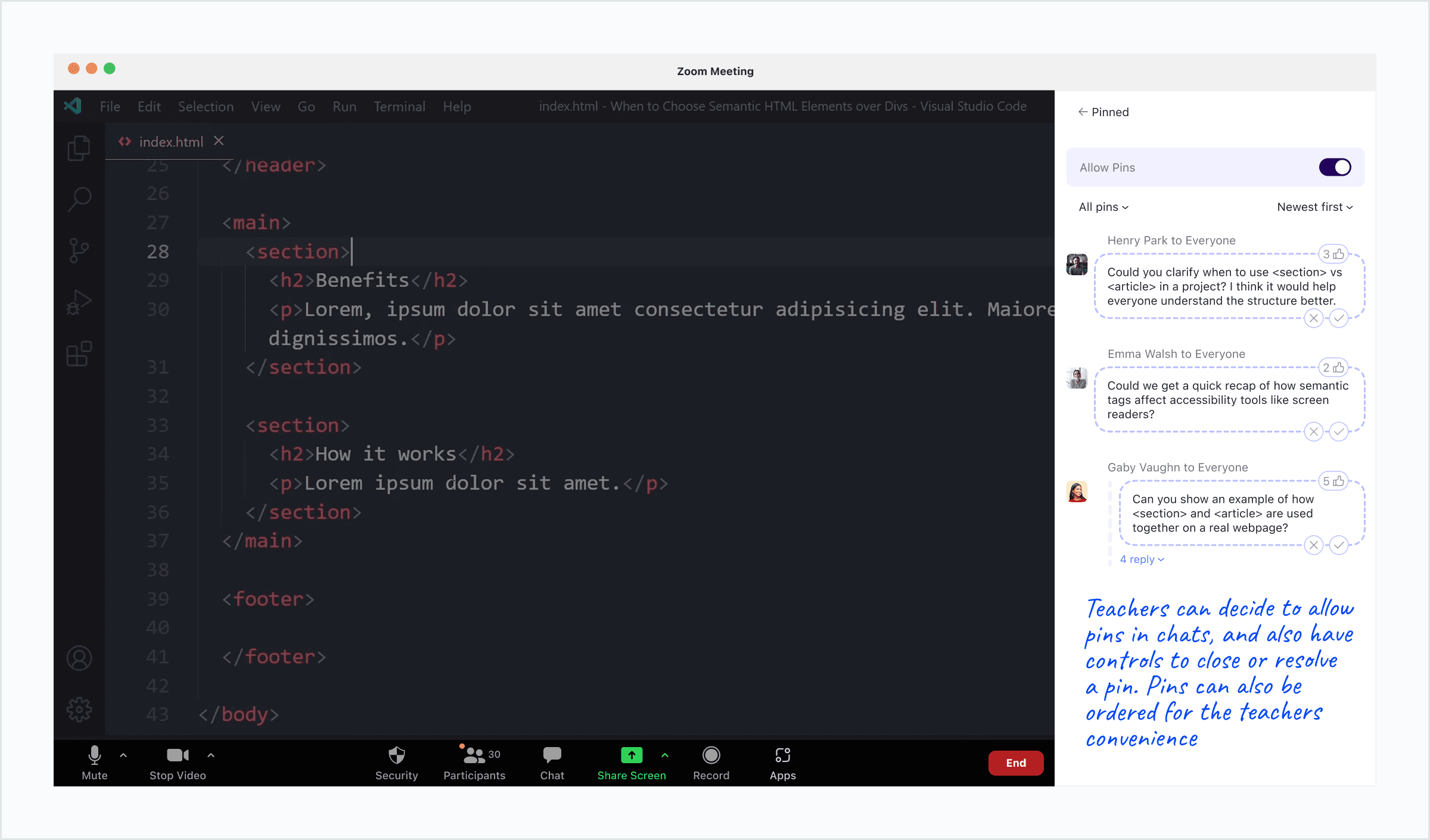
Pinned Questions View
An instructor-only view to review pinned questions, see engagement, and enable or disable question pinning.
OBSERVATIONS
Virtual classrooms make it harder for students to ask questions and stay connected.
As classes shifted online during the pandemic, Zoom became the default teaching platform at many universities. This transition reshaped how students participated and interacted, and early conversations with peers highlighted a few recurring challenges.
Virtual classrooms make it harder for students to ask questions and stay connected.
As classes shifted online during the pandemic, Zoom became the default teaching platform at many universities. This transition reshaped how students participated and interacted, and early conversations with peers highlighted a few recurring challenges.
Virtual classrooms make it harder for students to ask questions and stay connected.
As classes shifted online during the pandemic, Zoom became the default teaching platform at many universities. This transition reshaped how students participated and interacted, and early conversations with peers highlighted a few recurring challenges.
PAIN POINTS
1. Asking questions felt difficult
Many students hesitated to speak up or type questions due to technical constraints, awkward timing, or noisy home environments. The chat offered limited cues, making it hard to know when or how to jump in.
2. Conversations lacked flow
Without typing indicators or message clarity, discussions became fragmented. Students often talked over each other, missed messages, or avoided engaging altogether.
3. Environmental barriers persisted
Poor internet, shared living spaces, and limited devices made real-time participation even harder, further widening the gap between students and instructors.
1. Asking questions felt difficult
Many students hesitated to speak up or type questions due to technical constraints, awkward timing, or noisy home environments. The chat offered limited cues, making it hard to know when or how to jump in.
2. Conversations lacked flow
Without typing indicators or message clarity, discussions became fragmented. Students often talked over each other, missed messages, or avoided engaging altogether.
3. Environmental barriers persisted
Poor internet, shared living spaces, and limited devices made real-time participation even harder, further widening the gap between students and instructors.
KEY INSIGHT
Improving the chat experience (not adding new tools) presented the clearest opportunity. Since every student already relies on Zoom chat, enhancing it could reduce friction, encourage peer-to-peer interactions, and help virtual classes feel more connected.
COMPETITOR LANDSCAPE
Zoom, Google Meet, and Microsoft Teams offer basic messaging, but none prioritize classroom-specific interaction design. Chats remain unorganized, easy to lose, and difficult to follow during fast-paced discussions.

UNDERSTANDING USERS
Understanding Student Engagement on Zoom
To better understand real student behavior, I surveyed 84 students about their communication habits and challenges in virtual classes.
Understanding Student Engagement on Zoom
To better understand real student behavior, I surveyed 84 students about their communication habits and challenges in virtual classes.
Understanding Student Engagement on Zoom
To better understand real student behavior, I surveyed 84 students about their communication habits and challenges in virtual classes.
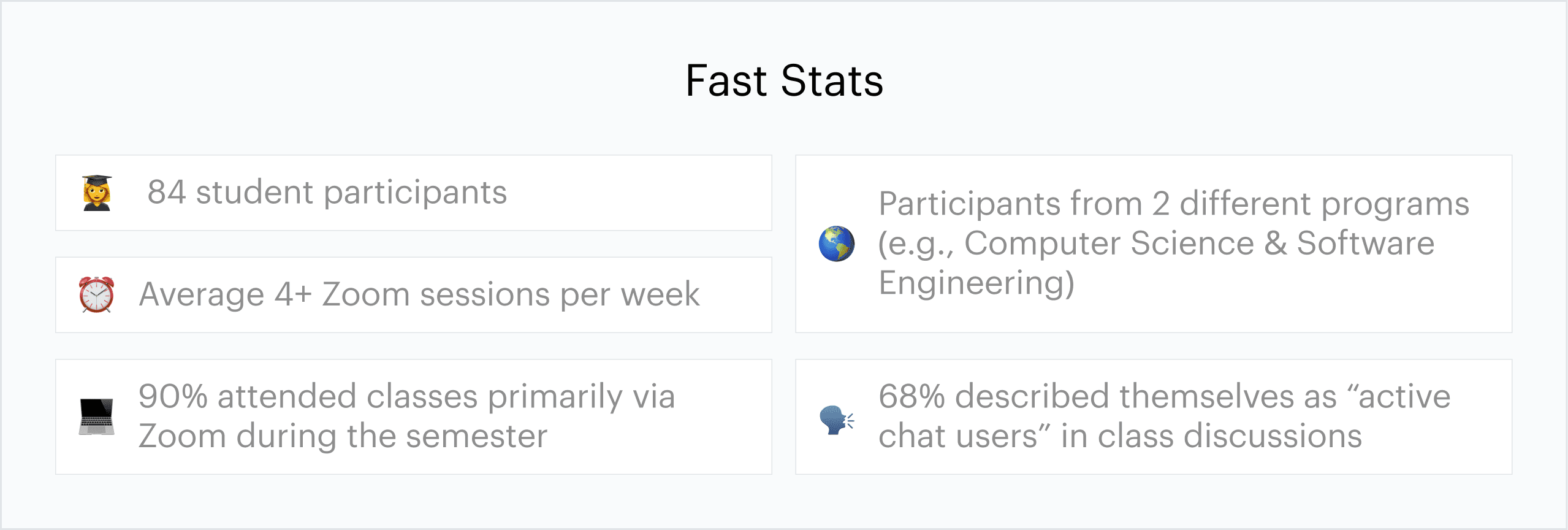
What students told me.
1. Chat is essential
68% relied on chat as their main way to participate, especially when speaking aloud wasn’t possible.
2. Clarity is lacking
87% struggled to follow questions directed at them or track replies during discussions.
3. Overall dissatisfaction
Zoom chat received an average rating of 2.26/5, reinforcing a clear opportunity for improvement.
1. Chat is essential
68% relied on chat as their main way to participate, especially when speaking aloud wasn’t possible.
2. Clarity is lacking
87% struggled to follow questions directed at them or track replies during discussions.
3. Overall dissatisfaction
Zoom chat received an average rating of 2.26/5, reinforcing a clear opportunity for improvement.
DESIGNING WITHIN ZOOM'S PRINCIPLES
Aligning With Zoom’s Mission
Zoom’s mission is to make communication effortless and inclusive. Its vision centers on empowering meaningful collaboration and strengthening human connection, no matter the distance.
Aligning With Zoom’s Mission
Zoom’s mission is to make communication effortless and inclusive. Its vision centers on empowering meaningful collaboration and strengthening human connection, no matter the distance.
Aligning With Zoom’s Mission
Zoom’s mission is to make communication effortless and inclusive. Its vision centers on empowering meaningful collaboration and strengthening human connection, no matter the distance.
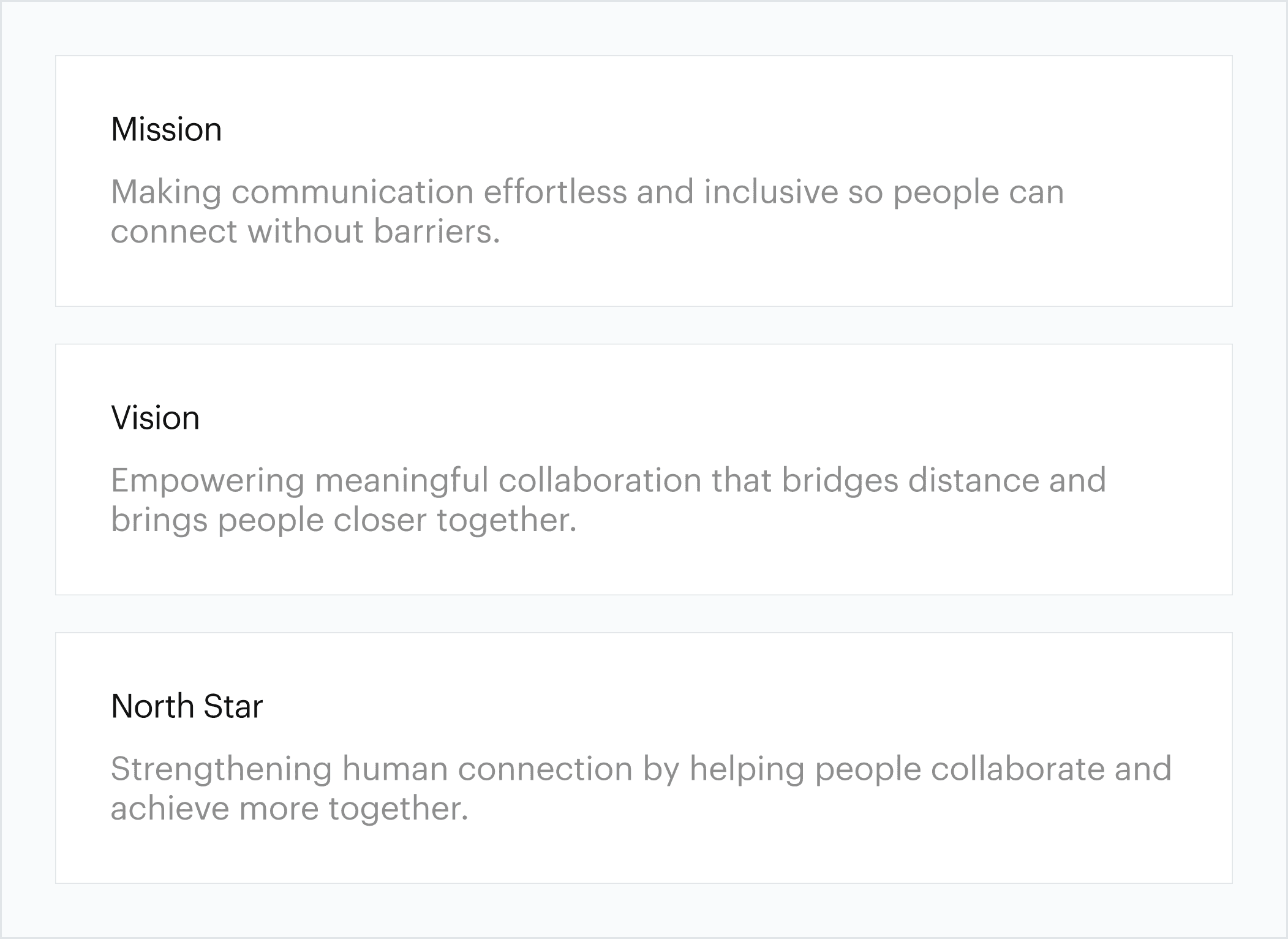
In education, however, this mission often falls short. While Zoom enables communication, it doesn’t always create space for spontaneous discussion or peer-to-peer connection. This project extends Zoom’s purpose by reimagining chat as a more human, collaborative space.
Improving the chat experience (not adding new tools) presented the clearest opportunity. Since every student already relies on Zoom chat, enhancing it could reduce friction, encourage peer-to-peer interactions, and help virtual classes feel more connected.
REIMAGINING STUDENT INTERACTION
From Passive Chat to Active Collaboration
Early exploration showed that Zoom chat felt flat, easy to ignore, and difficult to follow. I set out to make it more engaging while keeping the experience familiar to students and instructors.
From Passive Chat to Active Collaboration
Early exploration showed that Zoom chat felt flat, easy to ignore, and difficult to follow. I set out to make it more engaging while keeping the experience familiar to students and instructors.
From Passive Chat to Active Collaboration
Early exploration showed that Zoom chat felt flat, easy to ignore, and difficult to follow. I set out to make it more engaging while keeping the experience familiar to students and instructors.
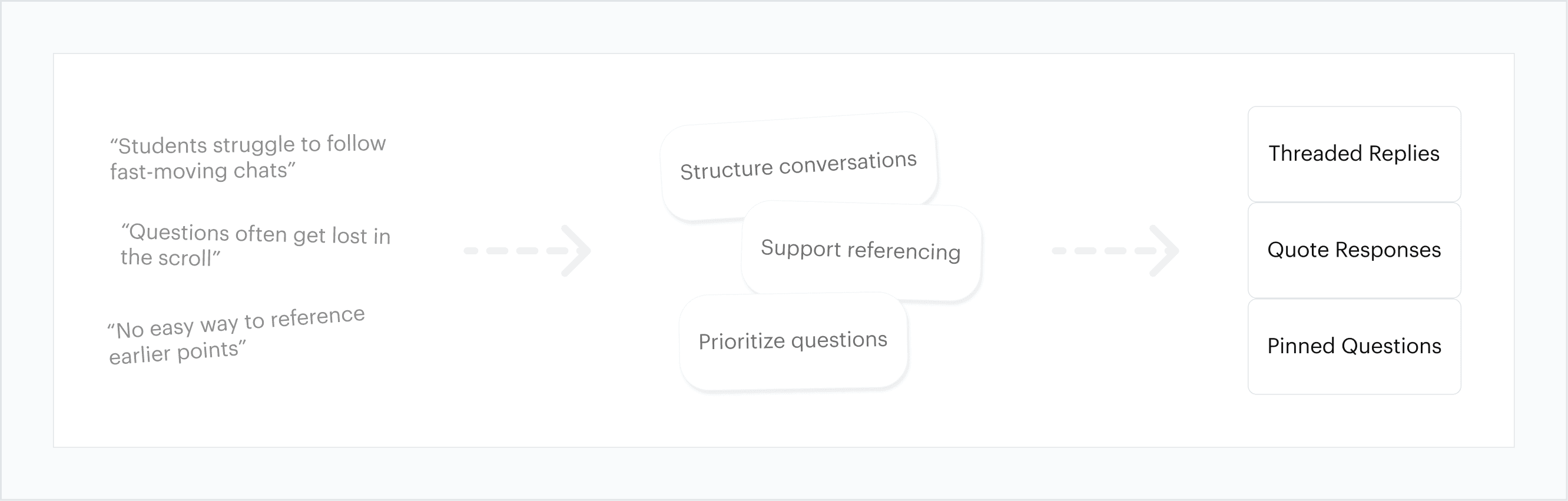
These concepts aimed to reduce friction, support natural conversation flow, and align with Zoom’s broader goal of connecting people.
DESIGN DECISIONS
01: Making Threads Visually Distinct but Seamless
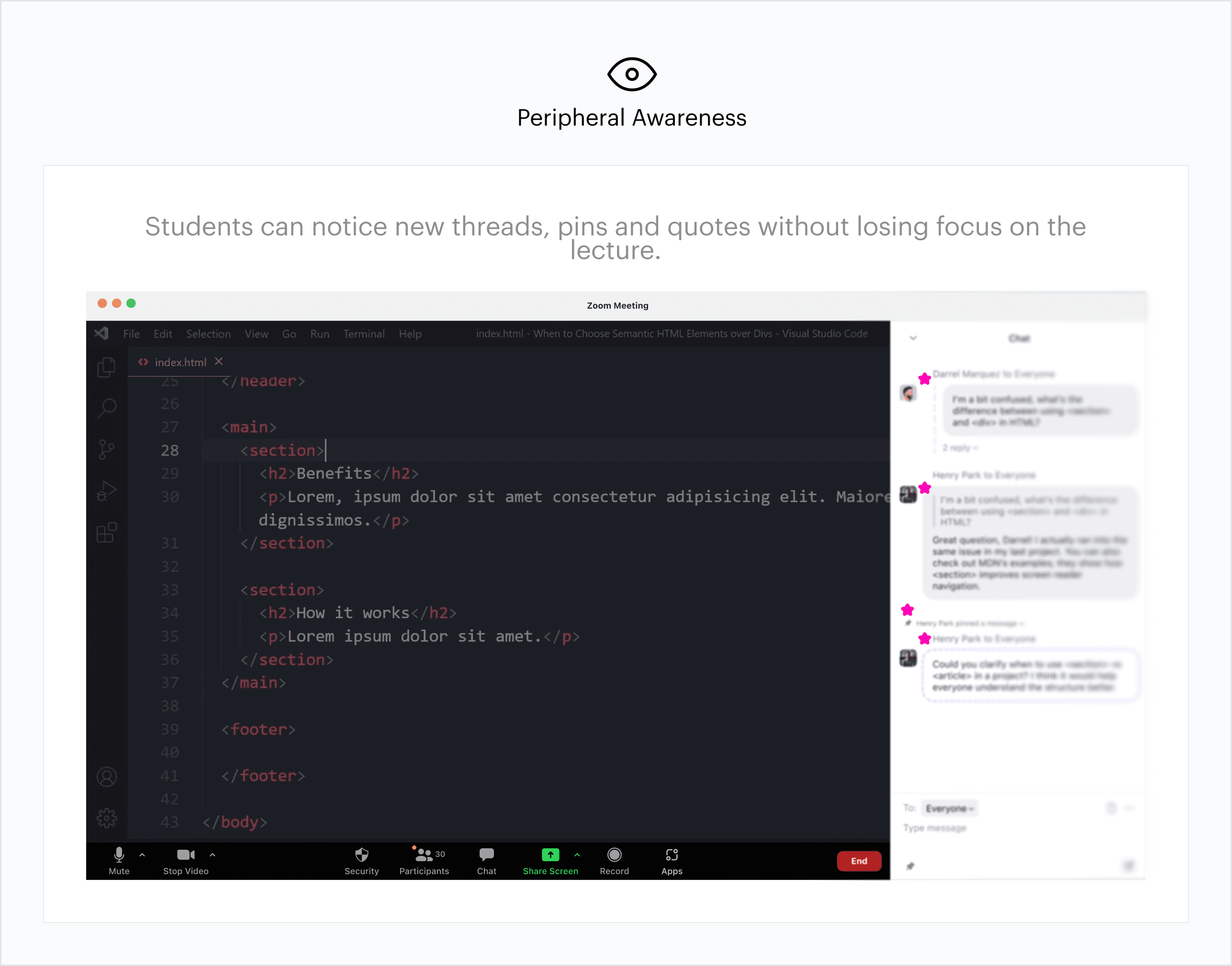
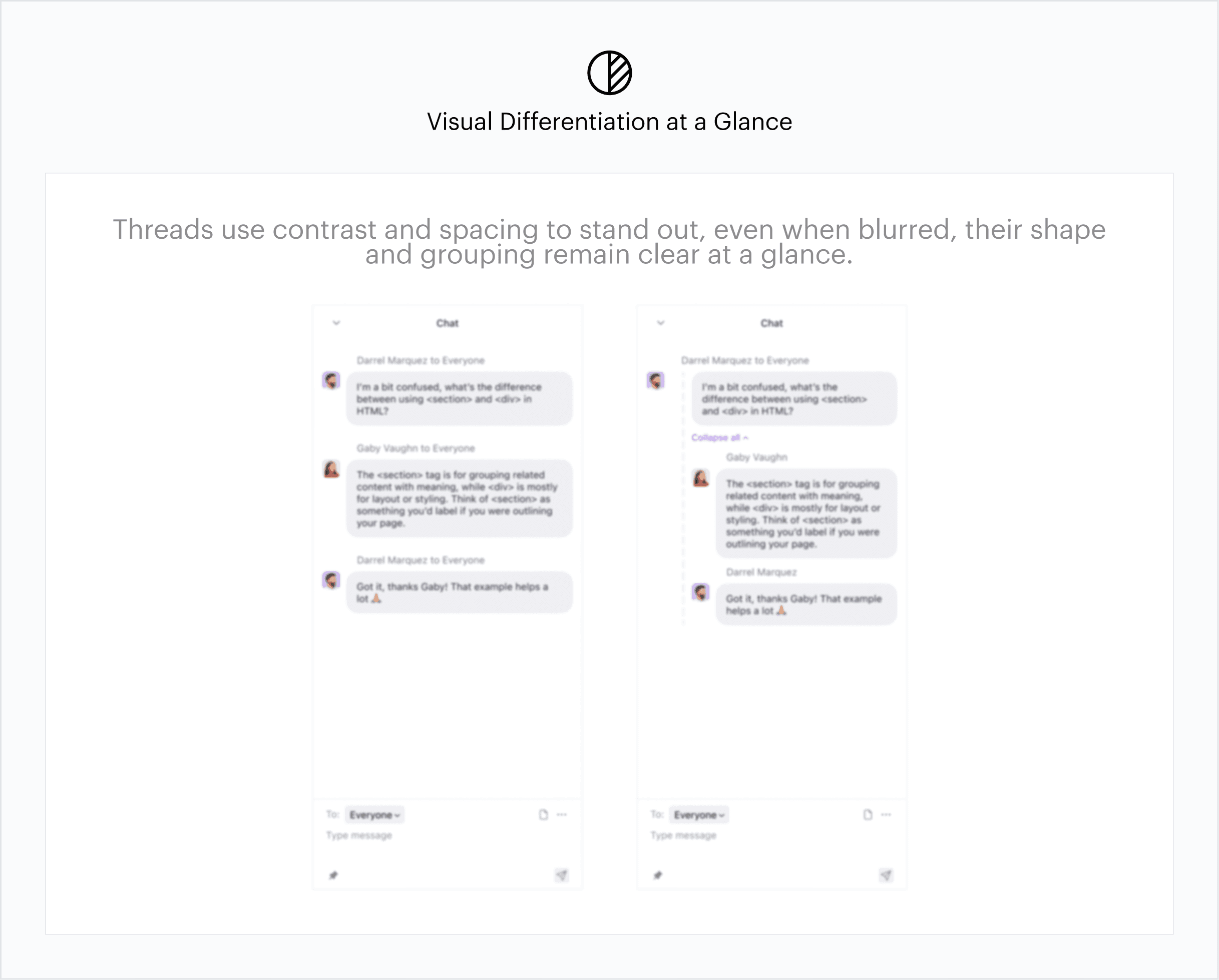
Threaded replies were designed to stand out from regular chat messages, easy to spot at a glance without disrupting focus. Their placement near the chat bar keeps them within a student’s peripheral vision, allowing quick recognition during lectures.
01: Making Threads Visually Distinct but Seamless
Threaded replies were designed to stand out from regular chat messages, easy to spot at a glance without disrupting focus. Their placement near the chat bar keeps them within a student’s peripheral vision, allowing quick recognition during lectures.
01: Making Threads Visually Distinct but Seamless
Threaded replies were designed to stand out from regular chat messages, easy to spot at a glance without disrupting focus. Their placement near the chat bar keeps them within a student’s peripheral vision, allowing quick recognition during lectures.
02: Keeping Interactions Compact
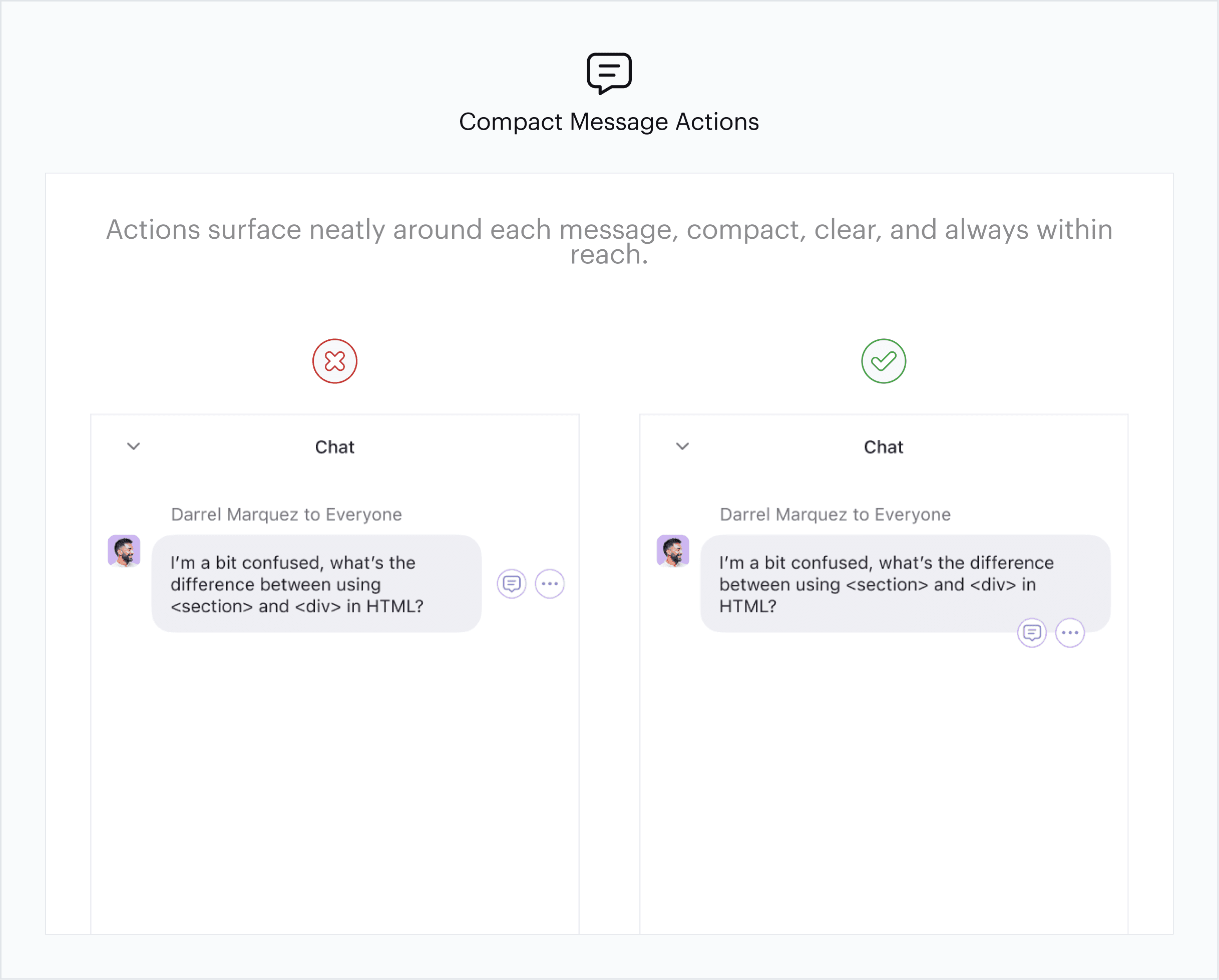
To avoid clutter and maintain a clean chat layout, message actions, such as Reply, Quote, Like, and Resolve appear along the perimeter of the message bubble when hovered over. This placement keeps interactions accessible without disrupting the message area.
02: Keeping Interactions Compact
To avoid clutter and maintain a clean chat layout, message actions, such as Reply, Quote, Like, and Resolve appear along the perimeter of the message bubble when hovered over. This placement keeps interactions accessible without disrupting the message area.
02: Keeping Interactions Compact
To avoid clutter and maintain a clean chat layout, message actions, such as Reply, Quote, Like, and Resolve appear along the perimeter of the message bubble when hovered over. This placement keeps interactions accessible without disrupting the message area.
03: Contextual Quote Placement
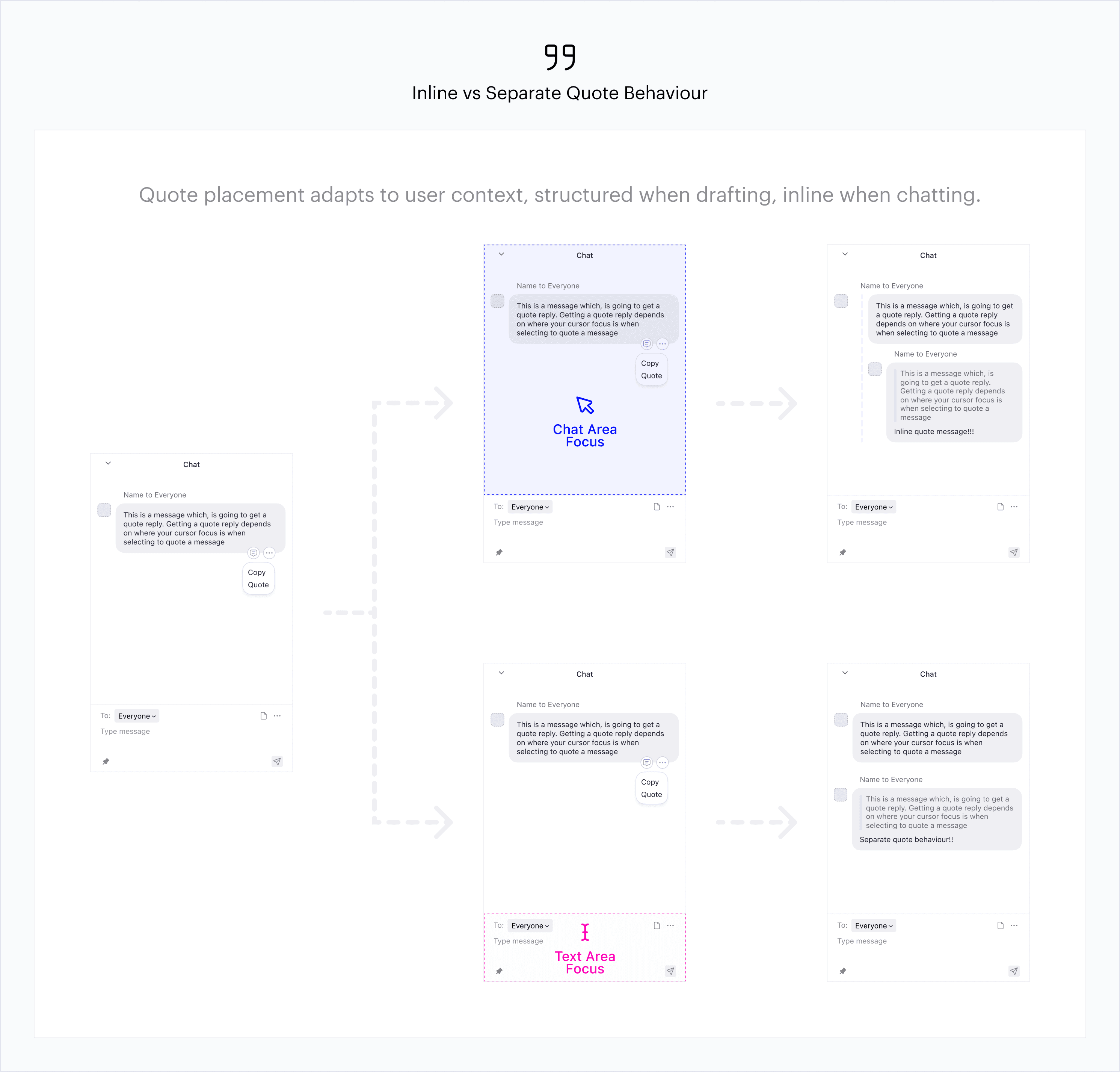
Quoting adapts to where the user’s focus is. When typing in the chat box, quotes appear as separate blocks for clearer reference while drafting. When selecting text within the chat, quotes appear inline to keep the flow natural and frictionless.
03: Contextual Quote Placement
Quoting adapts to where the user’s focus is. When typing in the chat box, quotes appear as separate blocks for clearer reference while drafting. When selecting text within the chat, quotes appear inline to keep the flow natural and frictionless.
03: Contextual Quote Placement
Quoting adapts to where the user’s focus is. When typing in the chat box, quotes appear as separate blocks for clearer reference while drafting. When selecting text within the chat, quotes appear inline to keep the flow natural and frictionless.
FINAL DESIGN
Threaded Replies
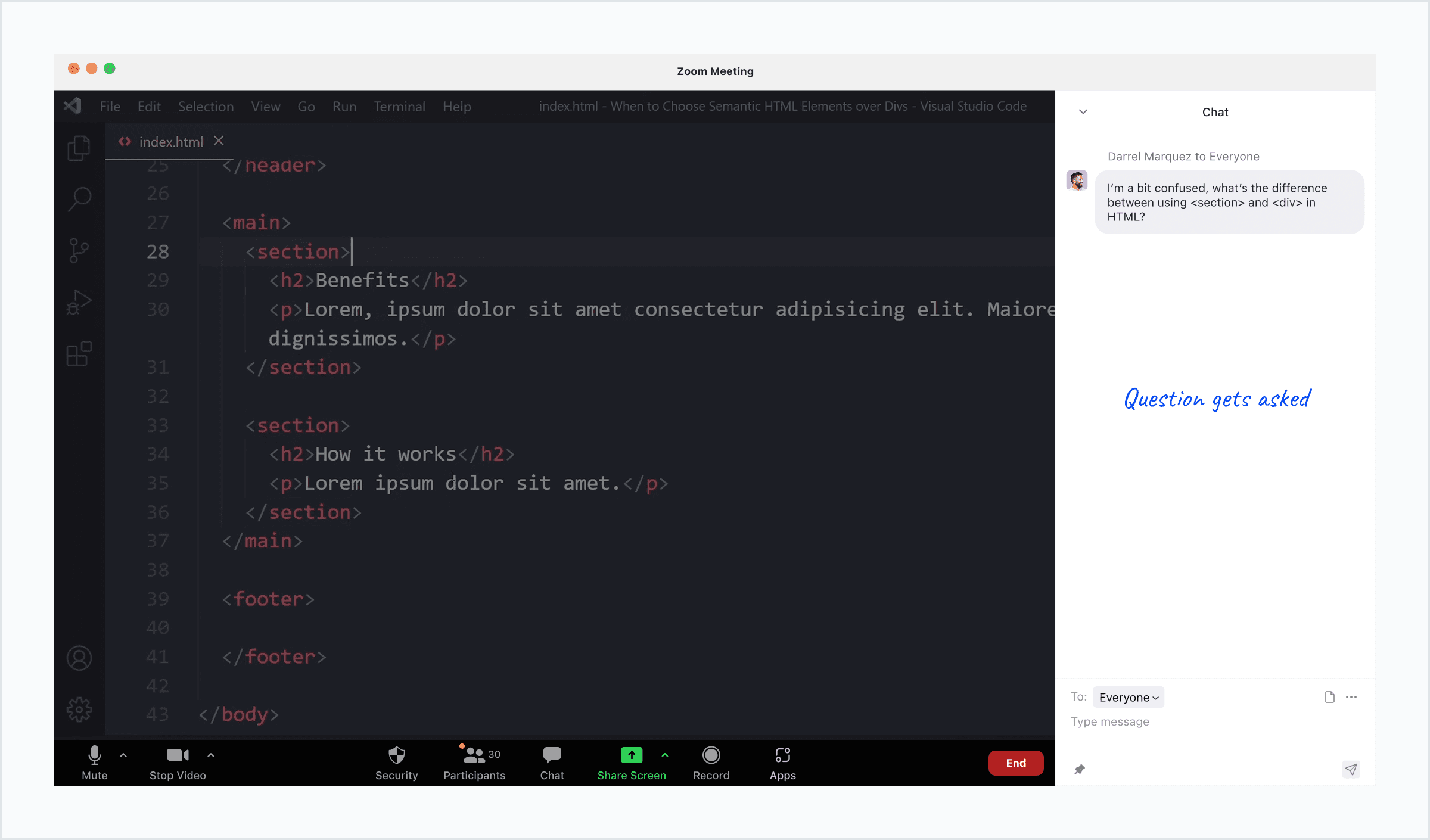
Threads keep conversations organized and context clear. Students can respond directly to specific questions or comments, reducing clutter and keeping discussions easy to follow.
Threaded Replies
Threads keep conversations organized and context clear. Students can respond directly to specific questions or comments, reducing clutter and keeping discussions easy to follow.
Threaded Replies
Threads keep conversations organized and context clear. Students can respond directly to specific questions or comments, reducing clutter and keeping discussions easy to follow.
Quote Responses
Quote lets students pull key points into new messages, making it easier to reference earlier ideas or continue a conversation without losing context.
Quote Responses
Quote lets students pull key points into new messages, making it easier to reference earlier ideas or continue a conversation without losing context.
Quote Responses
Quote lets students pull key points into new messages, making it easier to reference earlier ideas or continue a conversation without losing context.
Pinned Questions
Pinned Questions give visibility to what matters most. Students can pin and upvote questions, helping instructors address common points of confusion while keeping discussions focused and inclusive.
Pinned Questions
Pinned Questions give visibility to what matters most. Students can pin and upvote questions, helping instructors address common points of confusion while keeping discussions focused and inclusive.
Pinned Questions
Pinned Questions give visibility to what matters most. Students can pin and upvote questions, helping instructors address common points of confusion while keeping discussions focused and inclusive.
REFLECTION
What I learned
Design within the system
Working with Zoom’s existing patterns taught me that effective design isn’t about reinventing everything, it’s about building solutions that feel familiar and reduce cognitive load.
Invisible barriers matter
Hearing from students facing unstable internet, limited devices, or noisy homes reminded me that good design must account for quiet, often overlooked constraints.
Design within the system
Working with Zoom’s existing patterns taught me that effective design isn’t about reinventing everything, it’s about building solutions that feel familiar and reduce cognitive load.
Invisible barriers matter
Hearing from students facing unstable internet, limited devices, or noisy homes reminded me that good design must account for quiet, often overlooked constraints.